
Drag-and-Drop Customization for High-Ticket Dropshipping: Build Premium Stores Without Code
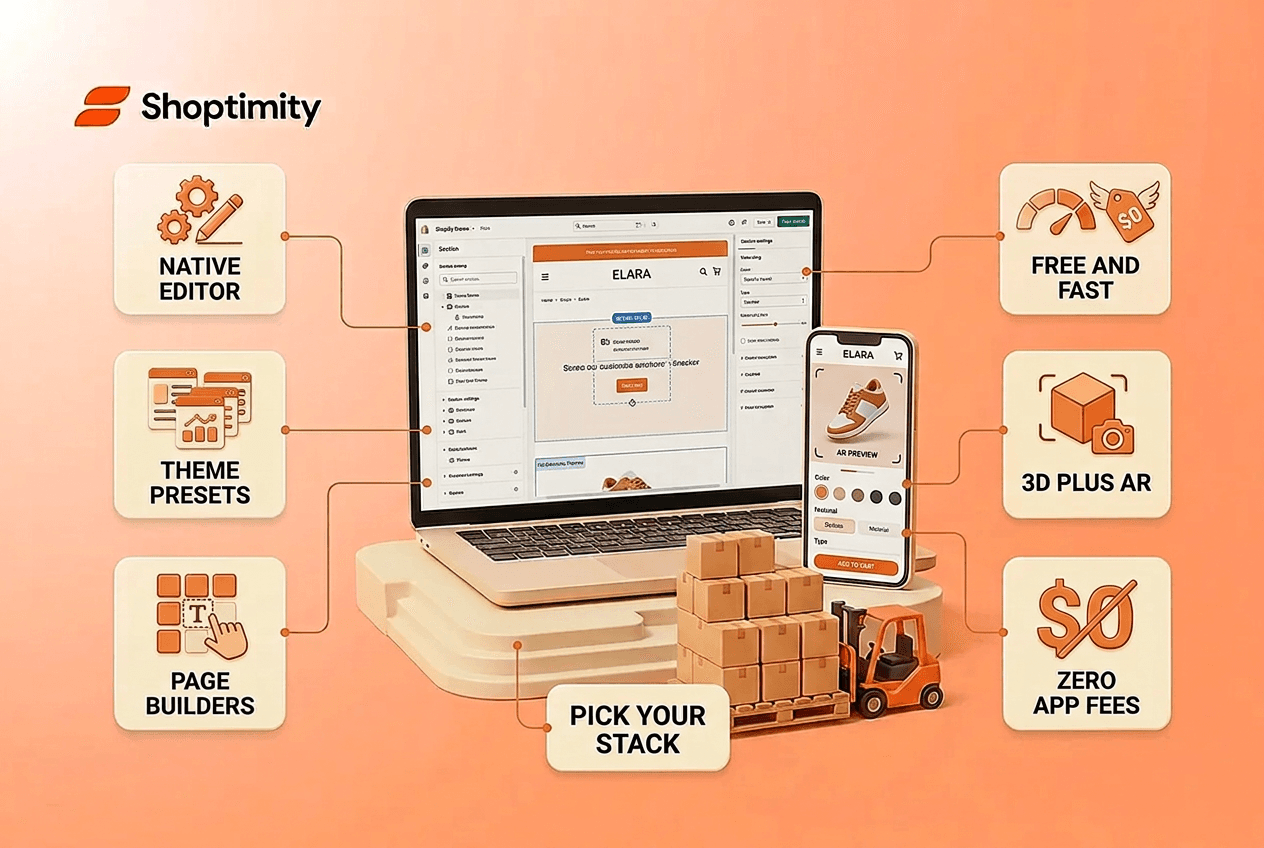
Building a high-ticket dropshipping store used to demand developers, code reviews, and weeks of waiting. Today, drag-and-drop customization tools let you launch a conversion-focused layout in hours, not months. For sellers moving products priced between $300 and $5,000, that speed difference isn't a convenience, it's the margin between beating competitors and watching them steal your market.
TL;DR:
- Drag-and-drop customization lets you rearrange sections, colors, and product layouts without touching code.
- High-ticket dropshippers need fast customization to test layouts and optimize for trust signals (reviews, guarantees, detailed product galleries).
- Native Shopify editors, plus apps like Kickflip and Zakeke, serve different needs; choose based on product type and technical comfort.
- The biggest mistake: treating your store layout like a low-ticket site. High-ticket buyers need space, trust, and clarity, not density.
What Is Drag-and-Drop Customization for High-Ticket Stores?
Drag-and-drop customization is the ability to rearrange, edit, and add sections to your Shopify store without writing code. You select a section (a hero banner, a product gallery, a testimonial block), click to open its settings, change colors or text directly on the page, and drag it up or down to reorder. The changes appear instantly in preview mode before you save them live.
For high-ticket sellers, this matters because your store layout is a conversion tool. A premium piece, say, a $2,000 massage chair or a $3,500 standing desk, doesn't sell itself. It needs breathing room, multiple product images, customer reviews, a clear return policy, and a sense of scarcity or exclusivity. Drag-and-drop editors let you build all of that without hiring a developer or learning Liquid code.
The native Shopify theme editor, built into every Shopify admin, is the simplest starting point. You can handle nearly every visual change from your dashboard: add sections, move them up or down with a drag icon, click any block to open its settings panel, swap colors, adjust text, upload images, and save in real-time.
Why High-Ticket Dropshippers Need Customization Speed
High-ticket dropshipping rewards sellers who move fast and adapt. The sales cycle is longer than low-ticket e-commerce; a $2,000 purchase takes research, comparison shopping, and trust-building. If your store layout doesn't support that journey, if product pages are cramped, images are tiny, or trust signals are buried, you lose the sale.
Typical high-ticket margins run 30 to 50%, meaning a handful of sales generate serious revenue. In 2026, a realistic goal is $8,000 to $12,000 in monthly profit from just 5 to 20 sales. But those sales don't happen by accident. They come from stores that look trustworthy, load fast, and make the product the hero.
Drag-and-drop customization cuts your iteration time from weeks to days. Testing a new hero banner? Click a section, swap the image, and preview live. Realizing your product photos need more space? Duplicate a gallery section, adjust the grid from 3 columns to 2, and watch how it changes the feel. High-ticket competitors will try to copy what works; moving faster means you stay ahead.
How Drag-and-Drop Builders Transform Your Store Layout
The mechanics are straightforward, but the payoff compounds. Here's what you control:
Layout and spacing. Most drag-and-drop editors let you adjust column counts, padding, and section height. For a $3,000 smart bed, cramming it into a 3-column grid doesn't work. Two columns (or even one large feature) give the product breathing room and signal premium positioning.
Visual hierarchy. A high-ticket store needs clear visual focus. Drag-and-drop builders let you reorder sections to surface trust signals early: customer testimonials before the add-to-cart button, a 30-day return policy in a sticky banner, limited-stock indicators. The order you choose changes buying psychology.
Product imagery. Tools like Zakeke and Kickflip take customization further by offering drag-and-drop product builders where customers can configure items in real time (selecting colors, sizes, or configurations) before purchase. For high-ticket products like custom furniture or smart home systems, this reduces post-purchase support requests and builds buyer confidence.
Color and typography. A drag-and-drop editor lets you change accent colors, fonts, and button styles without code. For luxury brands, this matters enormously. A deep navy accent signals premium positioning differently than bright orange. Most theme editors let you preview these changes instantly.
Customization Tools Built for High-Ticket Product Sales
The market offers several paths forward. Each has trade-offs.
Native Shopify theme editor. Free and built-in. You get a sections panel, inline text editing, and the ability to hide or duplicate sections. It's fast for simple tweaks but limited for advanced layouts. If your theme is Shopify Online Store 2.0-native (which most modern themes are), you can move and customize almost anything. Most high-ticket sellers start here because the learning curve is flat.
Themed builders with built-in drag-and-drop. Products like Amendment or Genius ship with pre-built sections and a visual editor designed specifically for high-converting layouts. Amendment comes with presets optimized for different verticals; Genius bundles 30+ native conversion tools (sticky carts, quantity breaks, scarcity badges) so you're not paying for apps monthly.
Third-party page builders. GemPages and PageFly offer drag-and-drop interfaces plus advanced features like conditional blocks and custom CSS. They're more powerful but also slower (they can impact your speed score) and add monthly app costs.
Product customizer apps. Zakeke and Kickflip focus specifically on product personalization, letting customers configure items visually. Zakeke emphasizes realistic 3D rendering and AR previews; Kickflip integrates tightly with Shopify and works well for apparel and accessories. Both charge monthly but justify the cost by reducing refunds and support tickets.
Choose based on your need: speed and trust signals (native editor or a pre-built high-ticket theme), advanced flexibility (page builder), or customer-facing configuration (product customizer app).
Common Customization Mistakes That Kill High-Ticket Conversions
Most new high-ticket sellers make one critical error: they treat their store like a low-ticket site.
Mistake 1: Over-crowding sections. Low-ticket stores benefit from density, pack products in to show variety. High-ticket stores need the opposite. A $4,000 drone doesn't benefit from being squeezed into a 4-column grid next to ten other items. Use drag-and-drop to create whitespace. Let the product breathe. The visual luxury of space itself is a trust signal.
Mistake 2: Hiding trust elements. High-ticket buyers want proof: reviews, return policies, warranty info, payment plans. Many sellers bury these in small text or push them below the fold. Add trust badges to Shopify and move testimonials and guarantees higher. Make them visual centerpieces, not afterthoughts.
Mistake 3: Ignoring mobile layout. Most traffic comes from mobile, but mobile customization isn't always intuitive in basic editors. High-ticket customers still research on phones. Test your drag-and-drop changes on mobile preview mode. A layout that looks spacious on desktop might feel broken on a 6-inch screen if sections aren't responsive.
Mistake 4: Fire-and-forget design. Drag-and-drop makes launching fast, but winners obsess over incremental improvement. Track which layouts convert. A/B test section order. Move a testimonial block up and measure the change in click-through to product page. Customization is ongoing, not a one-time event.
Launch Your High-Ticket Store in Minutes
You now understand why drag-and-drop customization separates winning high-ticket stores from slow laggards. Start building your conversion-focused layout today—Shoptimity's themes come with 30+ built-in conversion tools and pre-built templa
7-day free trial · all themes included · cancel anytime
Continue Reading

Top Shopify Theme for Wholesale: A 2026 Buyer's Guide
You've just spent weeks sourcing inventory and building supplier relationships. But when you launch ...
What Makes a Shopify Store Best Converting: The 2026 Framework for High-Ticket Dropshippers
The difference between a best converting Shopify store and an average one isn't traffic or luck, it'...
Best Shopify Themes for Canadian Fashion Brands in 2026
Your Shopify theme isn't just decoration. It directly affects whether customers trust your brand, ho...