
From Prompt to a Real Shopify Theme: How AI Theme Generation Works in 2026
Every day your storefront stays unfinished costs you sales. A premium furniture brand loses two weeks waiting for a developer. A smart home installer burns cash on expensive custom builds. A high-ticket dropshipper watches conversion opportunities slip away because their theme doesn't match their brand voice.
The bottleneck used to be unavoidable: either accept a generic template or pay $3,000 to $10,000+ for a developer and wait weeks. In 2026, that equation has flipped entirely. You can now generate a complete, branded Shopify theme from a text description in minutes, customize every section without touching code, and launch live the same day.
TL;DR:
- AI theme generation builds complete storefronts from natural-language prompts in minutes
- No coding required; everything outputs as native Shopify Online Store 2.0 sections
- High-ticket merchants spend hours instead of weeks on setup while maintaining design quality and conversion optimization
- Ready-made presets for specific niches accelerate launch further
- Version history and undo/redo make experimentation risk-free
Why Speed Matters More Than Ever for High-Ticket Dropshippers
High-ticket dropshipping operates on different economics than low-ticket models. You're not testing fifty $30 products to hit $300 in daily revenue. You're closing one $2,000 sale, one $5,000 smart home system, one $1,500 fitness equipment order. Your customer acquisition cost is higher, your margins are fatter, and your store design signals trust in ways that generic templates cannot.
Speed directly impacts revenue. When a luxury watch buyer lands on your store and product images take four seconds to load, they don't wait. They search for a competitor. For high-ticket merchants, every day of delay means lost organic search traffic, missed email capture opportunities, and competitors capturing early market demand in growing niches like premium pet products, fine jewelry, and smart home automation.
Speed also feeds SEO directly. Google uses Core Web Vitals as a ranking factor, which means a slow storefront loses organic visibility on top of paid performance. A faster store reduces bounce rate, improves quality score in ads, lowers cost-per-click, and drives higher conversion rates on the same traffic.
What Is AI-Powered Theme Generation for Shopify
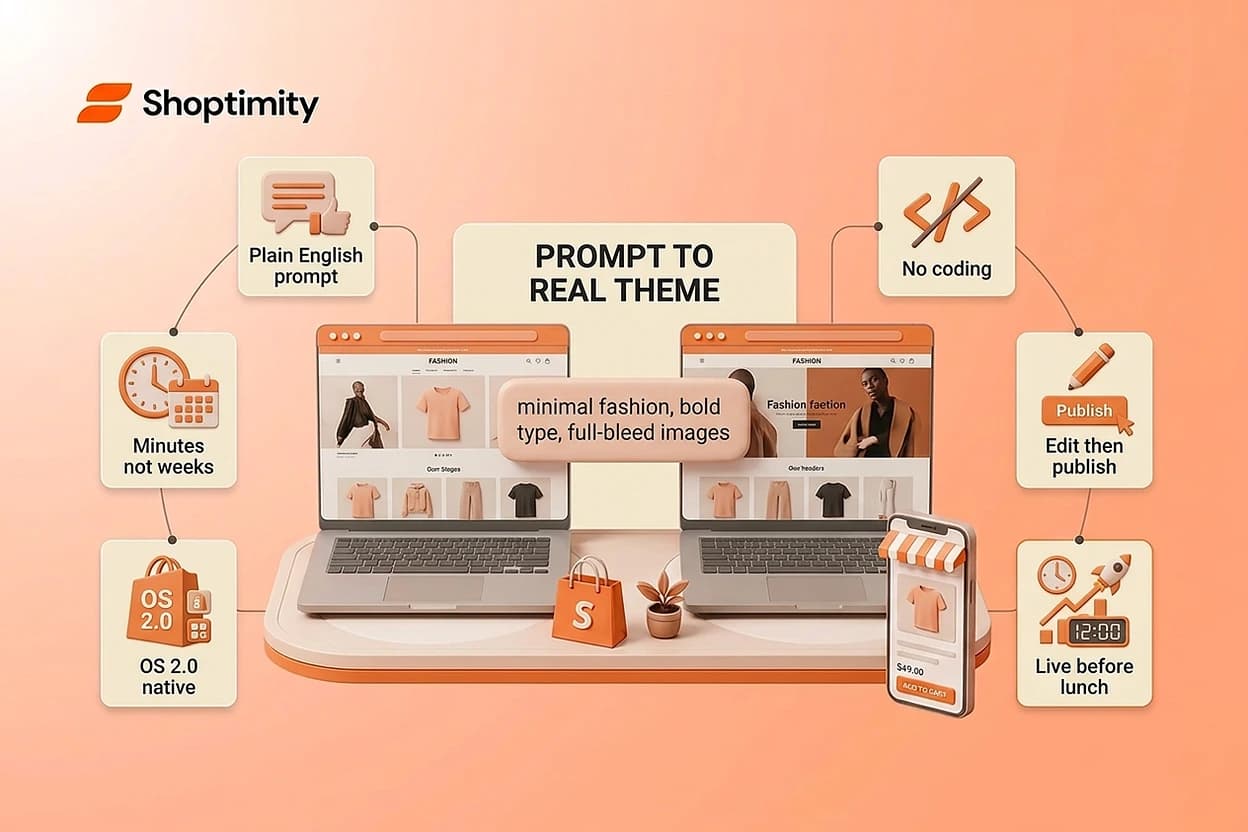
AI-powered theme generation is a tool that builds a complete Shopify storefront from a natural-language description. Instead of choosing from a template library and spending hours customizing, you describe the store you want: product category, visual style, brand voice, and target audience.
The system reads your prompt and outputs a full, editable theme in minutes. Everything is native Shopify Online Store 2.0, meaning every section, block, and element is built with the visual theme editor, metafields, and section support. You don't get a static export. You get a real, living theme you can immediately start refining.
This fundamentally differs from template selection. A template is a starting point you customize backward. Theme generation is a complete build that reflects your brand, niche, and sales goals from the first deploy.
How Prompt-Based Shopify Theme Generation Actually Works
The process starts with a prompt. Be specific about three things: product category, visual style, and the tone or vibe you're after.
A smart home installer might write: "A professional smart home equipment store selling premium automation systems. Use a dark color palette, clean typography, large product images, and trust-building copy that emphasizes reliability, ease of installation, and 24/7 support."
A luxury jewelry brand might say: "A minimal fashion jewelry store with black accents and macro product photography. Generous white space, editorial styling, luxury copy that emphasizes craftsmanship. Hide bulk purchase options."
The AI then generates a complete theme: hero banner sections, product galleries, trust badges, testimonials, FAQ blocks, and conversion-focused tools, all tailored to your description. Everything is editable immediately in the theme editor.
You also have a hybrid path: choose a reference layout or preset built for your specific niche, then let the AI adapt it to your brand guidelines. This accelerates launch further if you already know your category.
The system saves every generation for your store in version history. You can jump back to an earlier version, try a different creative direction, compare results side by side, and experiment risk-free. Undo, redo, and rollback are built in.
Building a Professional Store From Idea to Launch
Once your theme is generated, you customize each section independently without writing a single line of code. Open the sections panel and see your entire page structure: every block, every element at a glance. Click any section to edit.
What you can do per-section:
- Move or reorder sections to change page flow and conversion path
- Duplicate sections you like and reuse them on other pages
- Hide sections temporarily without deleting them
- Insert new blocks from a catalog: testimonials, countdown timers, quantity breaks, sticky carts, placed exactly where you need them
- Edit text inline by double-clicking directly on the page
- Switch to AI edit mode and describe a change conversationally: "Make this hero banner more premium" or "Add social proof to the product section"
For high-ticket sellers, this means you can test layouts without waiting for a developer. Add a trust section to your product page, measure its impact, remove it, or duplicate it across multiple pages. No friction. No technical knowledge required.
You control every conversion element. A jewelry store adjusts product image layouts to highlight macro details. A smart home installer reorders sections to lead with installation guides. A fitness equipment brand adds financing or quote-request forms without installing third-party apps that tank your site speed.
Real-world results show the speed of this workflow. A luxury jewelry brand launches with a dark, editorial preset, macro photography, and minimal copy. They duplicate the hero section three times, each highlighting a different collection. They customize the product grid to emphasize large images and hide bulk options. Result: a gallery-quality store live in hours, not weeks. A boutique fitness equipment seller uses a preset for high-energy brands, adapts colors to match their guidelines, customizes product tabs to highlight dimensions and weight capacity, and adds before-and-after testimonials. The theme's built-in quick-view feature reduces friction for browsers comparing models without leaving the page.
Common Mistakes High-Ticket Sellers Make With AI Themes
The biggest mistake is vague prompting. "Make my store look premium" produces generic results. "Build a luxury fitness brand with bold, confident typography, gym photography, and lifestyle imagery targeting affluent athletes" gives the AI enough specificity to match your actual vision.
The second mistake is launching too early. AI generation is fast, but that speed means you should spend time refining, not rushing. Test your product pages. Does the layout highlight your most important product details? Test your trust sections. Are testimonials and guarantees placed where they'll actually convert? Experiment with section order. Move your FAQ higher if it's answering objections.
The third mistake is ignoring built-in conversion features. Many AI themes include quantity breaks, sticky carts, countdown timers, and product recommendation sections natively. High-ticket dropshippers often pay monthly subscription fees for these features via third-party apps. If your theme includes them, use them. They're already optimized for conversion.
Launch Your First AI-Generated Theme Today
You now understand how prompt-based theme generation cuts weeks off your store launch. Start your free 7-day trial and build a fully branded storefront in minutes, no credit card required until day 8.
7-day free trial · all themes included · cancel anytime
Continue Reading

Top Shopify Theme for Wholesale: A 2026 Buyer's Guide
You've just spent weeks sourcing inventory and building supplier relationships. But when you launch ...
What Makes a Shopify Store Best Converting: The 2026 Framework for High-Ticket Dropshippers
The difference between a best converting Shopify store and an average one isn't traffic or luck, it'...
The Right Dropshipping Shopify Theme Saves You Thousands in Wasted Ad Spend
When a cold visitor lands on your dropshipping store, they have seconds to decide if you're legitima...