
Shopify Themes With Mega Menu: What to Look For
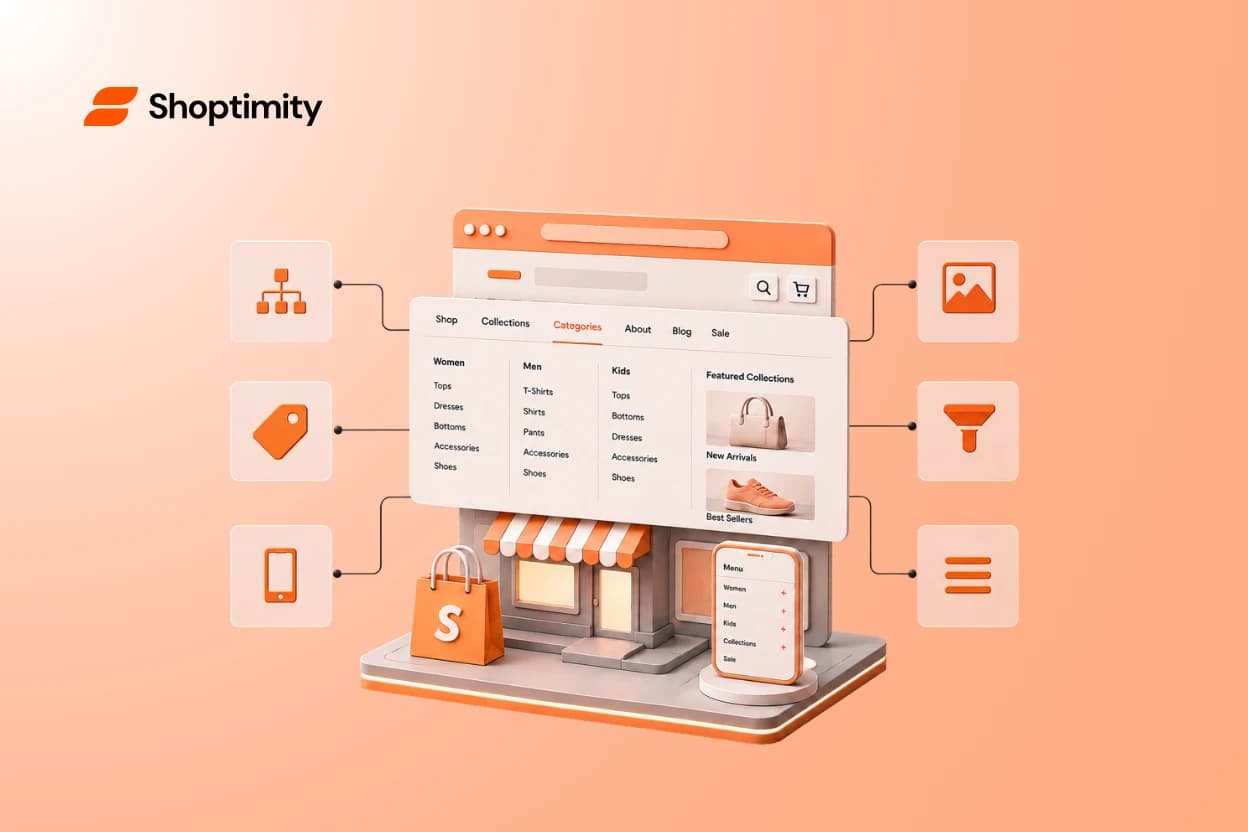
A mega menu can turn a big catalog into an easy browse — or a wall of links nobody reads. The difference isn't the theme's looks; it's whether the menu matches how your customers actually shop. If you're comparing Shopify themes with a mega menu, the real question is how well it helps people find products, especially on mobile. This guide covers what makes a mega menu genuinely useful and what to check before you commit.
Short answer: a good mega menu is a large dropdown that organizes your categories, collections, and (sometimes) images so shoppers can scan and reach products in one or two clicks. The best Shopify themes with a mega menu keep it clear, prioritized, and mobile-friendly — not crammed with every link you have.
What a mega menu really is (and isn't)
A mega menu is an expanded dropdown that shows multiple categories, subcategories, and sometimes images or featured products at once. Retailers with lots of products use them so shoppers don't have to dig.
Here's the mindset shift: a mega menu is a product-discovery tool, not a decoration. Its job is to get the right person to the right collection fast — nothing more, nothing less.
A mega menu isn't there to show off how many products you have. It's there to help one shopper find the one thing they came for.
When your store actually needs a mega menu
Not every store needs one. A mega menu earns its place when a simple menu can't hold your structure cleanly.
- You have many categories — several product types or departments.
- You have deep collections — categories that split into subcategories.
- Shoppers browse by type — they explore rather than search for one item.
If you sell just a few products: skip the mega menu. A short, simple nav is easier to scan and won't overwhelm a small catalog. Match the menu to your store, not the other way around.
What makes a mega menu genuinely useful
The theme gives you the container; you decide whether it helps or hurts. These are the traits that separate a helpful mega menu from a cluttered one.
The good-mega-menu checklist
Look for (and build) a mega menu with:
- Logical structure — categories grouped the way customers think, not the way your admin is organized.
- Clear labels — plain words shoppers recognize, no clever brand jargon.
- Easy scanning — enough spacing and hierarchy to read at a glance.
- Relevant collections — the categories people actually want up top.
- Images only where they help — a visual cue for key collections, not decoration everywhere.
- Clean mobile behavior — collapses into a tidy, tappable menu on phones.
- Minimal clutter — fewer, better links beat a dump of everything.
The mistake: stuffing everything into the menu
Here's the pattern we see most. The theme allows unlimited links, so a store owner adds every collection, category, and promo they have — because they can.
The result is a menu that's technically complete and practically useless. When everything is in there, nothing stands out, and shoppers scan right past what they need.
The better approach: organize the menu around the shopper's likely journey. Put the categories most people want first, group the rest logically, and cut links that don't earn their spot.
How to plan your mega menu in 4 steps
Before you touch the theme editor, plan the structure on paper. It's faster and keeps you honest about priorities.
- List your main categories — the top-level ways people group your products.
- Rank them by demand — what do most customers come looking for?
- Group subcategories — nest the details under the right parent.
- Trim ruthlessly — if a link isn't a common path, it doesn't belong up top.
Good navigation also helps search engines understand your store's structure, which supports discovery beyond the menu itself. Google on clear site navigation
Don't judge the mega menu on desktop alone
A mega menu can look great on a wide screen and fall apart on a phone. Since most shoppers are on mobile, that's the view that counts most.
Open any theme's demo on your phone and expand the menu. If it's slow, cramped, or hard to tap, the desktop polish won't save it. browse themes to compare navigation
A menu is only as good as the store around it. Shoptimity themes like Celeste are built mobile-first with fast, no-code navigation and 30+ selling tools already inside — so a clean mega menu leads straight into product pages that are ready to convert. see the themes
Which navigation fits your store
Small catalog
A simple menu beats a mega menu — less clutter, easier scanning.
Multi-category store
A mega menu shines when you have departments and deep collections.
Growing brand
Pick a theme whose menu scales as you add categories, without a rebuild.
Choose a theme with navigation that helps people buy
The best Shopify themes with a mega menu treat it as a discovery tool: organized, prioritized, mobile-friendly, and free of clutter. Plan it around how your customers browse, then test it on a phone before you build.
Ready to build a faster, higher-converting store?
Every Shoptimity theme ships with conversion widgets built in — so you get speed and features without stacking apps.
7-day free trial · all themes included · cancel anytime
Continue Reading

Top Shopify Theme for Wholesale: A 2026 Buyer's Guide
You've just spent weeks sourcing inventory and building supplier relationships. But when you launch ...

The Right Dropshipping Shopify Theme Saves You Thousands in Wasted Ad Spend
When a cold visitor lands on your dropshipping store, they have seconds to decide if you're legitima...
Best Shopify Themes for Canadian Fashion Brands in 2026
Your Shopify theme isn't just decoration. It directly affects whether customers trust your brand, ho...