
8 Shopify CRO Tactics That Lift Conversions and AOV (Most of Them Are Free to Test)
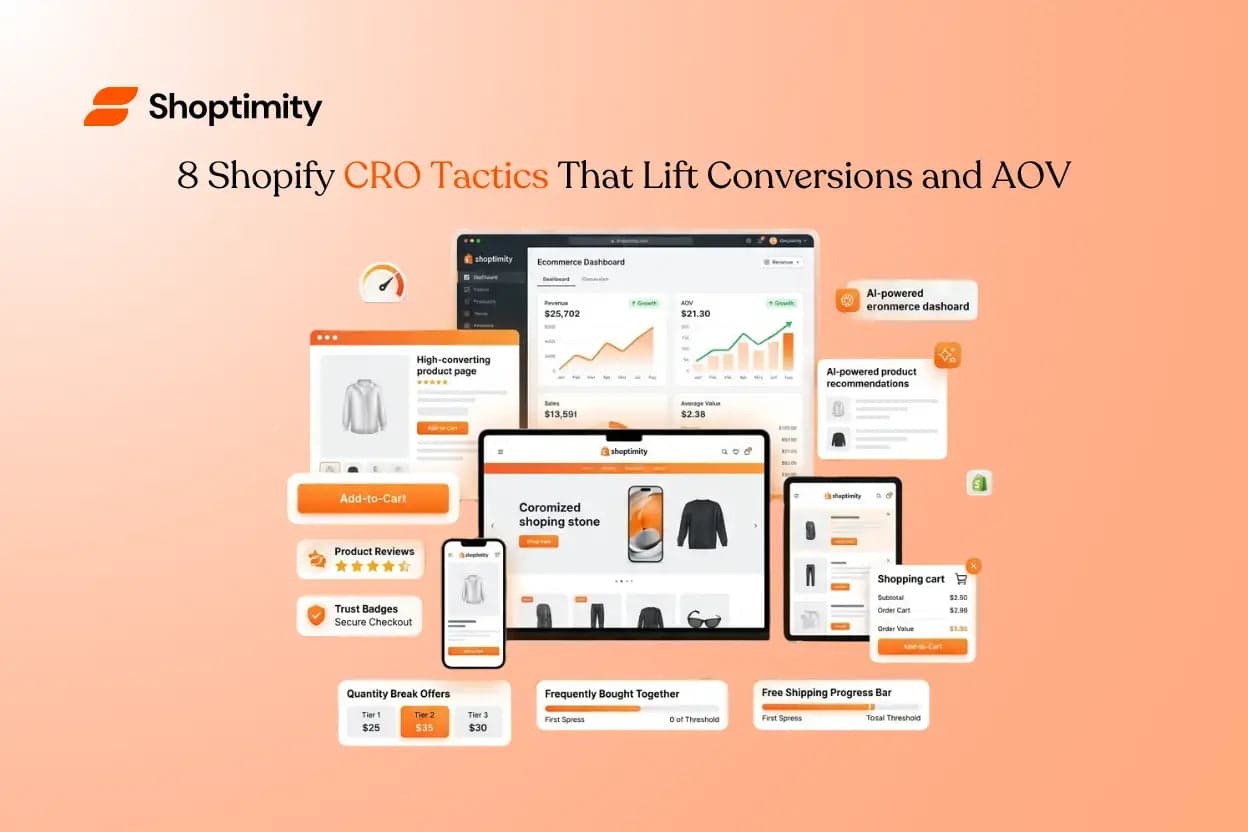
Most Shopify store owners spend their energy at the top of the funnel — more ads, more traffic, more reach. But the cheapest growth you'll ever find is already sitting on your site: the visitors who showed up and didn't buy.
Conversion rate optimisation (CRO) is the discipline of turning more of that existing traffic into orders — and turning more of those orders into bigger orders. It compounds.
Below are eight tactics that move the two levers that matter: how many visitors buy, and how much each one spends. None require a bigger budget. Most you can test this week.
Lever 1 — Lift Your Conversion Rate
Treat Page Speed as a Conversion Feature, Not a Tech Detail
Speed is the most underrated CRO lever because it's invisible. Nobody emails you to say "your site felt slow, so I left" — they just leave. Yet load time correlates directly with conversion rate: every additional second of delay gives an impatient shopper another reason to bounce, and the effect is sharpest on mobile, where most of your traffic now lives.
Make the Path to Purchase Obvious
A confused shopper never buys. The single most reliable conversion fix is reducing the cognitive load between landing and checkout.
Design Mobile-First, Not Mobile-Friendly
For most Shopify stores, the majority of traffic — and an increasing share of orders — comes from phones. Yet many themes are still designed on a desktop and "made to fit" mobile as an afterthought. That's backwards.
Borrow Trust with Social Proof
Shoppers who've never heard of you are deciding, in seconds, whether to risk their card details. Social proof shortcuts that decision: star ratings near the product title, written reviews with photos, "X sold this week" indicators, and recognisable trust badges at checkout all reduce the perceived risk of buying.
Lever 2 — Lift Your Average Order Value
Conversion rate gets people to buy. AOV decides how much they spend when they do. Because these tactics fire after someone has already decided to purchase, they're often the fastest revenue you can unlock.
Offer Quantity Breaks
"Buy 2, save 10%. Buy 3, save 15%." Quantity breaks work because they reframe the decision from whether to buy to how many to buy. For consumables, multipacks, and gift-able products, a well-placed volume discount routinely lifts units per order — and the small margin you give up is more than covered by the larger basket and the saved acquisition cost of a second purchase.
Add Upsells at the Moment of Intent
The best time to sell someone something is right after they've decided to buy. A native post–add-to-cart upsell ("Add the matching case for $12?") catches the shopper at peak intent, when their wallet is already out. The rule is relevance: upsell the obvious complement, keep it one tap to accept, and never let it block or slow down the checkout.
Cross-Sell with "Frequently Bought Together"
Cross-sells widen the basket sideways. Surfacing complementary products — in a cart drawer or beneath the product description — does the merchandising work a good salesperson would do in a physical store: "people who bought this also needed that." Curated, relevant recommendations beat a generic "you may also like" carousel every time.
Use a Free-Shipping Progress Nudge
A free-shipping threshold is one of the most dependable AOV boosters in e-commerce — but only if shoppers can see their progress toward it. A cart message that says "You're $14 away from free shipping" gives the shopper a concrete, gamified reason to add one more item. Set the threshold just above your current AOV and watch basket sizes climb toward it.
The Hidden Tax on All of This
Here's the catch most guides skip. Read back through those eight tactics. In a typical Shopify setup, almost every one is delivered by a separate paid app: a reviews app, an upsell app, a quantity-break app, a sticky-cart app, a free-shipping-bar app.
So the store owner who diligently implements all eight ends up paying a stack of monthly subscriptions — and, worse, each app injects its own scripts into the page. The tools you installed to raise conversions quietly drag down the page speed that drives conversions in the first place.
The cleaner path is to have these capabilities built into the foundation — the theme itself — rather than bolted on. Native quantity breaks, upsells, cross-sells, sticky carts, and shipping nudges run as part of the storefront's own code, so they don't pile on third-party weight, don't clash visually, and don't cost a recurring fee per feature.
That's the exact philosophy behind Shoptimity — a conversion-optimised Shopify theme that ships with these AOV and CRO tools built in, on a single low membership fee instead of a stack of separate monthly app subscriptions. Every UI element is tested to turn more visitors into buyers without sacrificing how your brand looks.
Where to Start
You don't need all eight at once. Pick the lever with the most headroom:
📊 High traffic, low conversion
If your analytics show plenty of traffic but a low conversion rate, start with speed, mobile experience, and a clearer path to purchase.
🛒 Healthy conversion, small baskets
If your conversion rate is healthy but baskets are small, start with quantity breaks, an upsell, and a free-shipping nudge.
Measure one change at a time, give it enough traffic to read a real result, and keep what wins.
CRO isn't a one-time project — it's the highest-leverage habit in e-commerce.
The stores that compound are the ones that treat every percentage point of conversion and every dollar of AOV as something worth fighting for.
See these tactics working in a real storefront
Experience the speed, the sticky cart, the upsells, and the AOV boosters from a shopper's point of view — then decide what your store is leaving on the table.
$19/month or $160/year (save 30%) — every CRO and AOV tool built in, no app stack.
Continue Reading
How to Scale Conversions with an AI Shopify Theme Store Builder
Seventy percent of retail executives plan to implement artificial intelligence tools in 2024 to stay...
How to Fix Core Web Vitals on Shopify for Faster Speeds
You spend months perfecting product photos, collection layouts, and checkout flows. Yet, many ecomme...
Shopify Subscription Themes vs One-Time Purchases
Store owners often spend hundreds of dollars a month on app subscriptions, theme updates, and develo...