
How to Make Extra Money Online by Building Shopify Themes
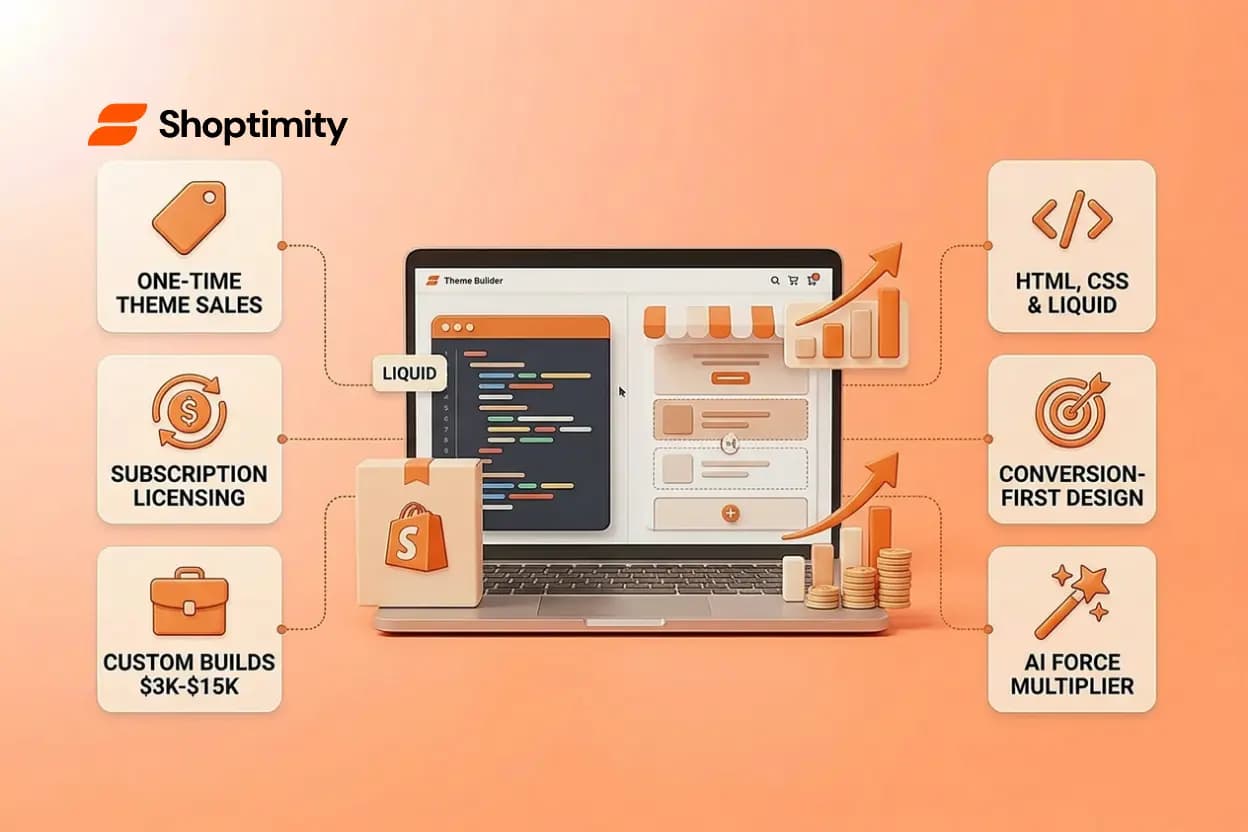
Shopify theme builders pull five figures a year, some much more. If you can code, design, or blend both, you're sitting on a revenue stream that scales with zero inventory, zero shipping, and zero customer service headaches. The barrier to entry isn't high, the market is hungry, and the money is real.
TL;DR:
- Theme builders earn through three models: one-time sales, subscription licensing, or freelance custom builds. Each has different startup costs and revenue ceilings.
- You need HTML/CSS fluency, Liquid templating, and a firm grasp of conversion design. AI tools now automate chunks of the work, but taste and judgment are not yet automated.
- The biggest mistake builders make is designing for beauty instead of business. Shopify stores that print money look boring. Learn the difference.
- Start by auditing live themes, studying conversion patterns, and prototyping small templates. Ship something before you perfect it.
Why Shopify Theme Building Is a Real Income Stream in 2026
Shopify powers millions of online stores. Every one runs on a theme. Most merchants are trapped on free themes or expensive one-off custom builds. The gap is brutal: popular themes cost $200-$350 upfront, and most store owners have no idea how to customize them without hiring a developer at typical hourly rates.
This is your opening. Theme builders fill that gap by selling solutions: pre-built, conversion-optimized storefronts that merchants can install, customize, and launch in minutes. Shopify's Online Store 2.0 architecture made theme building accessible to developers and designers who weren't Liquid experts ten years ago. AI-powered tools now automate design and copy generation, compressing the work cycle further.
The result: you can earn passive or semi-passive income by selling one theme hundreds or thousands of times, or you can build custom themes for premium clients and command $3,000-$15,000+ per project. Both paths exist. Both work.
What Is Theme Building, and What Skill Sets Do You Actually Need?
Theme building is designing and coding a Shopify storefront template. You create the HTML structure, write CSS for styling, use Shopify's Liquid templating language to pull product data and personalization, and package it all as a Shopify theme that merchants can install in one click. The theme then appears as a customizable starting point in their Shopify admin, with editable sections, colors, fonts, and content blocks.
The core skills are straightforward:
- HTML and CSS: You need solid fundamentals. Semantic HTML, flexbox, grid, responsive design. If you're a designer, you likely have this; if you're a developer new to design, this is the gentlest ramp.
- Shopify Liquid: Shopify's templating language lets you pull dynamic data (product names, prices, images, customer reviews) into your theme. It's not complex. You can learn the basics in a week or two.
- Conversion design sense: The difference between a theme that sells and one that sits is not aesthetic, it's psychological. Where do you place the add-to-cart button? How do you display product images? Do you show reviews before or after the price? These are business questions. Study winning stores in your niche. A/B tests reveal what moves revenue.
- Shopify Online Store 2.0 architecture: Modern themes use sections (reusable, draggable blocks) and JSON templates. You're building a flexible system, not hardcoding a layout. This skill is teachable and rises in value every quarter.
Optional but accelerating: AI tools now generate layout code from a text prompt, auto-crop product images, and write marketing copy. You'll spend more time refining and less time typing. It's still not a replacement for taste, but it's a force multiplier.
The Three Revenue Models for Shopify Theme Creators
1. One-Time Theme Sales (Highest Volume, Lower Per-Unit Revenue)
You build a theme, list it on Shopify's theme store or your own site, and earn per sale. Most one-time theme sales land in the $100-$200 range. To earn $10,000 a year, you'd need 100 sales at $100 each, or 50 sales at $200.
Pros: No ongoing support obligation. Low customer churn. Simple business model.
Cons: High competition. Marketplace saturation. You compete on price and visual appeal against established names. Marketing is brutal.
2. Subscription Licensing (Recurring Revenue, High Potential)
You charge merchants $19-$50 per month for access to your theme library. They get updates, new templates, priority support, and exclusive features. One customer paying $25/month is worth $300 a year; 100 customers is $30,000 annually. This model drives the fastest-growing theme businesses.
Pros: Recurring, predictable revenue. Built-in incentive to improve your themes. Lower marketing friction (a $19/month trial is an easier sell than a $200 one-time buy).
Cons: You must support customers. Updates are mandatory. Churn is your enemy.
3. Custom Freelance Builds (Highest Price, Most Labor)
A brand approaches you: "We need a conversion-optimized Shopify store built from scratch." You charge $3,000-$15,000+ and build it over 4-12 weeks. This is not scalable in volume, but it's high-margin, high-satisfaction work.
Pros: Price premium. Direct client relationship. Portfolio work that sells your next contract.
Cons: Time-intensive. Not truly passive. Requires sales and project management skills.
Most profitable theme builders mix all three. You release a free or cheap entry-level theme to build audience, sell custom work to premium clients, and run a subscription tier for agencies and high-volume sellers.
The Technical Foundation: Languages, Tools, and Architecture You'll Use
When you start building, you'll touch these layers:
- Liquid templating: Shopify's templating language is simpler than JavaScript. You'll use it to loop through products, render customer data, handle conditionals, and output dynamic content. Spend a day reading the official docs and you'll be functional.
- Shopify CLI: The command-line tool for developing and testing themes locally. You'll run
shopify theme devto spin up a preview server and see changes live in seconds. - CSS and responsive design: Mobile-first design for e-commerce is mandatory in 2026. The majority of e-commerce traffic comes from mobile devices. If your theme doesn't convert on a 375px phone screen, you've lost the sale.
- Sections and metafields: Online Store 2.0 uses sections (reusable blocks) and metafields (custom data fields). Instead of hardcoding content, merchants drag sections into templates. Flexibility beats rigidity.
- Performance: Shopify tracks Core Web Vitals. A slow theme bleeds ad budget. Learn lazy-loading, image optimization, and code splitting. Speed is a conversion multiplier.
Start by forking an open-source theme (Dawn is free and modern), read the code, modify a section, and deploy it to a test store. The learning curve is weeks, not months.
Common Mistakes Theme Builders Make (and How to Avoid Them)
Designing for beauty instead of business: The most stunning themes often have the lowest conversion rates. A designer's eye and a merchant's profit motive are not the same. Study high-converting Shopify themes; you'll notice they're often minimal, fast, and ruthlessly focused on the add-to-cart button.
Ignoring performance until the end: If your theme is slow, prettier design doesn't matter. Core Web Vitals are a ranking factor. Merchants using your theme lose SEO equity. They churn. Build performance in from day one.
Underestimating support costs: A subscription model sounds passive until your first 50 customers hit you with bugs, feature requests, and configuration questions. Budget time. Hire help early.
Not studying your niche: A jewelry theme and a fitness theme have completely different needs. Jewelry requires zoom, 360-degree product views, and trust signals. Fitness needs social proof and before-and-after imagery. Generic templates fail because they optimize for nobody. Pick a niche, audit ten winning stores, and design for them.
Shipping incomplete: Many first-time builders wait for perfection. Don't. Launch a conversion-optimized Shopify theme without coding as a solid core theme with three well-designed homepage layouts, product and collection pages, and a cart flow. Add features later. Getting real users and feedback is worth more than six months of polish.
Launch Your Theme Building Income Today
You now understand the three revenue paths and the technical foundation required. The fastest way to validate your theme idea is to build and test it with a modern theme builder platform that handles the heavy lifting. Start your 7-day free
7-day free trial · all themes included · cancel anytime
Continue Reading
What Makes a Shopify Store Best Converting: The 2026 Framework for High-Ticket Dropshippers
The difference between a best converting Shopify store and an average one isn't traffic or luck, it'...
The Right Dropshipping Shopify Theme Saves You Thousands in Wasted Ad Spend
When a cold visitor lands on your dropshipping store, they have seconds to decide if you're legitima...
How Much Does It Cost to Create an Online Store in 2026?
The price to start an online store ranges wildly: anywhere from under $100 to $250,000 or more. But ...