
Shoptimity vs Shopify Themes: Which Is Better for Your Store in 2026?
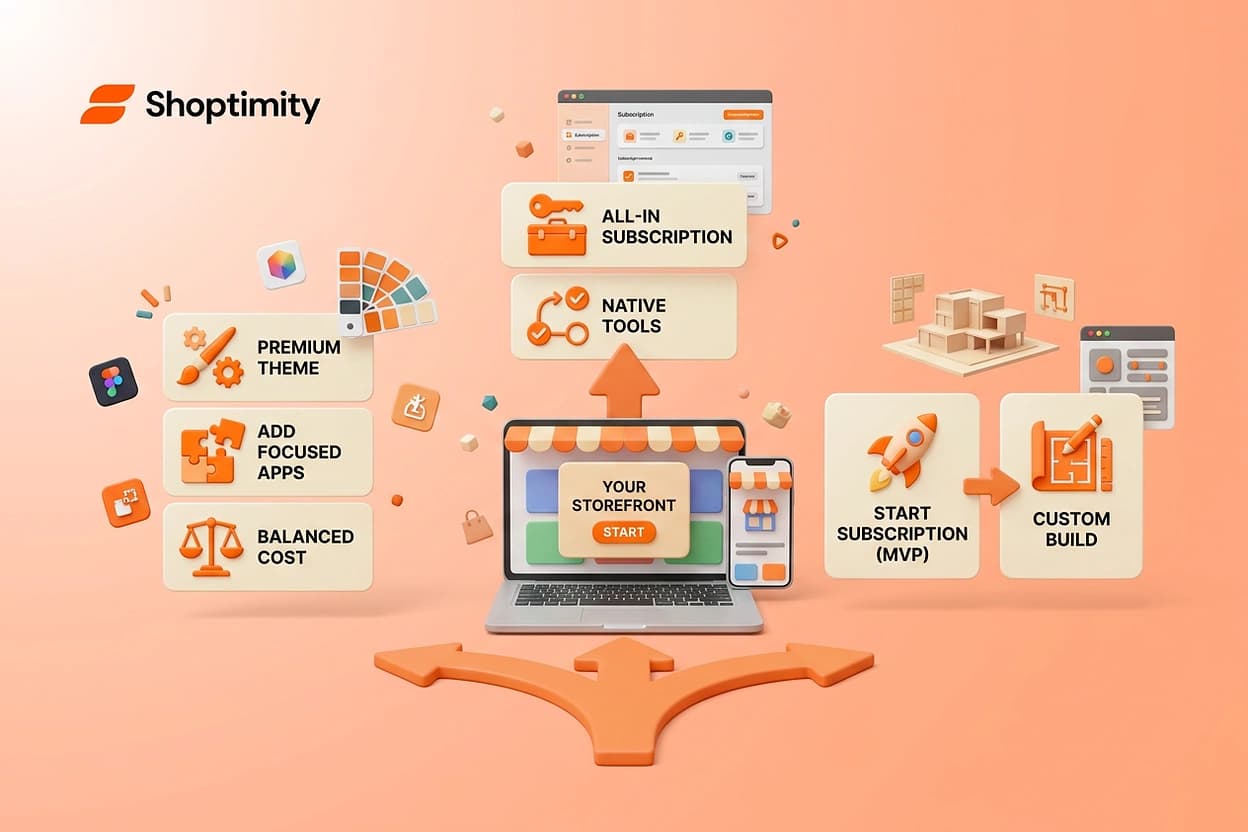
Shoptimity vs Shopify Themes: The Real 2026 Cost
Most merchants compare Shoptimity vs Shopify themes on looks and sticker price. That's the wrong column. A premium Shopify theme can run about $350 once, but the storefront you actually ship is that theme plus a stack of conversion apps that bills you every month. This is the honest breakdown of both routes — cost, complexity, speed, and what happens in year two.
The short answer
A premium Shopify theme is a one-time design purchase. Shoptimity is a $19/month subscription where the conversion tools live inside the storefront instead of arriving as separate apps.
So the real comparison isn't design versus design. It's one payment plus an app stack against one subscription with the stack built in. Which one wins depends on how much technology your storefront actually needs to do its job.
Shoptimity vs Shopify Themes: The Real 2026 Cost
Most merchants compare Shoptimity vs Shopify themes on looks and sticker price. That's the wrong column. A premium Shopify theme can run about $350 once, but the storefront you actually ship is that theme plus a stack of conversion apps that bills you every month. This is the honest breakdown of both routes — cost, complexity, speed, and what happens in year two.
The short answer
A premium Shopify theme is a one-time design purchase. Shoptimity is a $19/month subscription where the conversion tools live inside the storefront instead of arriving as separate apps.
So the real comparison isn't design versus design. It's **one payment plus an app stack** against **one subscription with the stack built in**. Which one wins depends on how much technology your storefront actually needs to do its job.
- Buy the theme once if you have design help, a custom build, and few conversion widgets.
- Subscribe if you'd otherwise pay separately for countdowns, upsells, reviews, sticky cart, and filters.
- Either way, budget the whole storefront — not the theme line item.
Why the $350 number is misleading
Nobody launches a bare theme. You launch a theme plus whatever it takes to make the product page sell.
That usually means urgency, social proof, bundles, post-purchase upsells, and a cart that follows the shopper down the page. Few themes ship all of that natively, so merchants fill the gaps from the app store.
App pricing is per app, per month, per store. Check the live listings before you budget Shopify App Store because tiers change, and the tier you need is rarely the free one.
The line items people forget
- The apps themselves — one subscription per feature, and features rarely come bundled.
- The second store — most app pricing is per store, so a second brand doubles it.
- Theme updates — a major release can mean redoing customizations and rechecking every app embed.
- Your hours — installing, configuring, and debugging five apps is a real cost even when nobody invoices it.
Head to head: what you're actually buying
| What you're comparing | Premium Shopify theme + apps | Shoptimity |
|---|---|---|
| Upfront cost | Around $350 for a premium theme, one time | $0 to start — 7-day free trial, card held, first charge on day 8 |
| Ongoing cost | One subscription per conversion app, every month | $19/month, or $156/year |
| Conversion features | Added app by app: countdown, sticky cart, upsells, reviews, smart filters, free-shipping bar | 30+ built in, no separate installs |
| Theme choice | You buy one theme; a second theme is a second purchase | Every theme included in the one subscription |
| Speed risk | Each app adds third-party scripts to the page | Built into the storefront; 98.9 speed score, mobile-first |
| Setup | Theme setup, then app-by-app configuration | No-code drag-and-drop on OS 2.0 |
| Who fixes it | Theme support plus each app vendor separately | One 24/7 support team |
Read that table as a total, not row by row. One theme with five paid apps and one subscription that covers the same ground are very different monthly numbers — and the gap compounds every month the store stays open.
The three costs that never make it into the spreadsheet
Script weight
Every app adds JavaScript to a page a shopper is waiting on. Speed is a conversion input, not a vanity metric, and the field data behind that is public Core Web Vitals.
Five apps means five vendors' scripts you don't control and can't optimize. Native features carry no third-party payload, which is exactly why we build the conversion tools into the theme instead of beside it.
Integration debt
Apps don't know about each other. Your countdown timer, bundle app, and upsell app each inject their own markup into the same product page.
You get layout conflicts, duplicated trust badges, and a cart drawer that behaves differently on mobile. When it breaks, you're the one deciding which vendor owns the bug.
Attention
This is the cost merchants underrate most. Every app is another dashboard, settings page, billing email, and support queue.
What we tell merchants during storefront audits: The store that converts isn't the one with the most tools installed. It's the one where the tools that are installed are actually configured and actually working.
Where a premium Shopify theme still wins
To be fair, the subscription model isn't right for everyone.
Buy the one-time theme if you have a designer or developer on the team, you want a look nobody else has, and your conversion needs are genuinely light. Brand-led stores with strong organic demand often need less on-page urgency than a paid-traffic store does.
It also wins on accounting simplicity. One purchase, done — no recurring line to justify next year.
- You have design or development resources in-house.
- You want a heavily customized, one-of-a-kind storefront.
- You need three or fewer conversion features in total.
- You strongly prefer a one-time cost over a subscription.
Where the subscription approach wins
The subscription wins when your storefront needs a lot of technology to operate.
If your plan involves testing offers, running paid traffic, launching a second brand, or shipping a new landing page most weeks, the theme-plus-apps route gets expensive and fragile fast. Every Shoptimity theme arrives with the conversion toolkit already wired in, so adding urgency or an upsell is a toggle instead of a new vendor relationship.
It also changes how you experiment. When trying a countdown or a free-shipping bar costs nothing extra, you actually test it — instead of debating whether it's worth another monthly fee.
Run this 20-minute total-cost audit before you decide
Don't take our word for the math. Do it on your own store.
- List your storefront features.Write down every conversion feature you need on the product page, cart, and collection page. Be specific — urgency, bundles, reviews, filters.
- Price each one for real.Open the App Store, find the tier that covers your order volume, and write that monthly number beside each feature. Use the paid tier you'd actually land on.
- Add the theme.Put the one-time theme price at the top, then spread it across the 24 months you realistically expect to run it.
- Add the second store.If another brand launches this year, double every per-store app line.
- Add your hours.Estimate setup plus monthly maintenance time, then multiply by what an hour of yours is worth.
- Compare the 24-month totalagainst a $19/month subscription covering the same feature list. Whichever number is smaller wins — for your store, not in general.
Most merchants get surprised at step 2, not step 3. The theme was never the expensive part.
Which route fits you?
Premium theme plus a few apps
You have design help, a distinctive look matters more than built-in widgets, and you need only a handful of conversion features. Pay once, customize deeply, keep recurring spend near zero.
Best for: Brand-led stores with in-house designAll-in subscription storefront
You need urgency, upsells, reviews, filters, and a sticky cart working on day one — and you'd rather test offers than manage vendors. One monthly fee, every theme, tools included.
Best for: Paid traffic, dropshipping, multi-brand operatorsStart subscribed, decide later
Cash matters more than ownership early on. Launch on a subscription, learn which features actually move your numbers, then commission a custom build if you outgrow it.
Best for: High-ticket DTC in year oneThe full breakdown lives on the pricing page, and if you're mid-build, the setup guide walks through how the storefront comes together without a developer.
Ready to build a faster, higher-converting store?
Every Shoptimity theme ships with conversion widgets built in — so you get speed and features without stacking apps.
7-day free trial · all themes included · cancel anytime
Continue Reading
Shopify B2B Company Locations: Give Buyers the Right Access
Configure Shopify B2B company locations, verify buyer permissions and test pricing, addresses and pa...
Shopify Checkout Contact Settings: Separate Email From Shipping Phone
Configure Shopify checkout contact settings and test email, phone and shipping address requirements ...
Shopify POS Recent Carts: Share a Sale Without Reserving Stock
Learn how Shopify POS recent carts work across devices, what they do not reserve, and how to hand of...