
Shopify Analytics vs GA4: Why the Numbers Never Agree
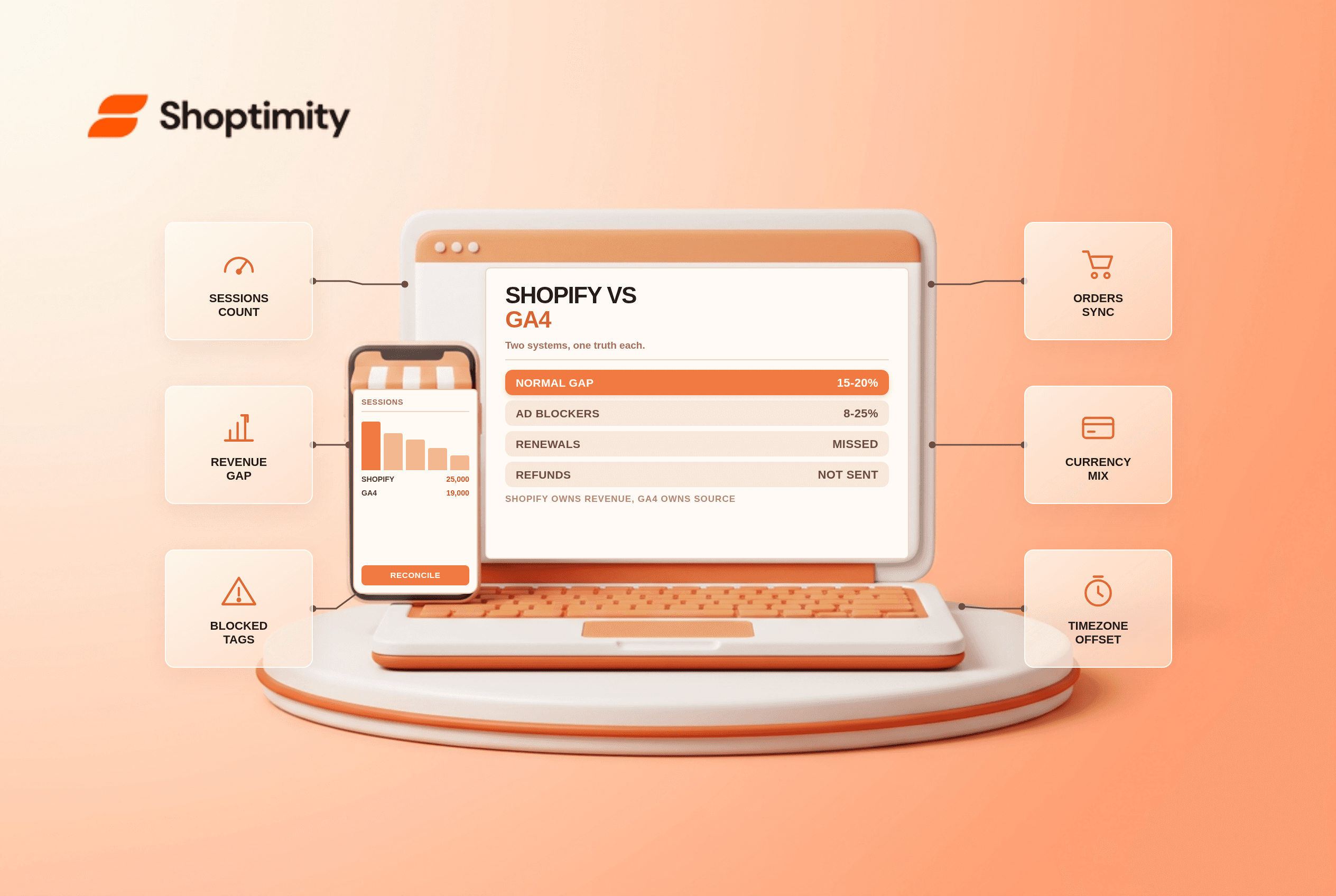
The gap between Shopify analytics vs GA4 is structural, not a bug, and up to 15% to 20% divergence is normal in 2026. Up to roughly 15 to 20 percent divergence is normal. Shopify is the accounting record for orders and revenue. GA4 is the source of truth for channels and on-site behaviour. Trying to force them to match will waste weeks.
Why the two systems cannot agree
Shopify records an order server-side the moment payment clears. GA4 records an event that a browser fires to Google. Any browser event can fail: an ad blocker stops the script, a slow connection drops it, a consent banner blocks it, or the tab closes before the tag runs.
According to audits published by analytics agencies, ad blocking alone removes 8% to 25% of sessions in most consumer audiences. Add Safari's tracking protections and iOS restrictions, and the direction of the gap becomes predictable: GA4 sees fewer users, fewer sessions and fewer orders than Shopify, almost always.
The causes that matter, in order of size
| Cause | Typical effect | Fix |
|---|---|---|
| Ad blockers and tracking protection | 8 to 25% of sessions invisible | Server-side purchase events |
| Checkout on a separate domain | Session breaks, source lost | Referral exclusions, cross-domain setup |
| Refunds not sent to GA4 | Revenue overstated permanently | Send refund events |
| Subscription renewals | Recurring orders missed | Webhook to server pipeline |
| Post-purchase upsells | Second order not counted | Fire a second purchase event |
| Currency mismatch | Numbers in different units | Convert to base currency before comparing |
Subscription renewals and post-purchase upsells are the quiet ones. A renewal order never touches a thank-you page, so a browser pixel cannot see it. On a store with meaningful recurring revenue, that is a permanent undercount in GA4 that grows every month.
Which number to trust for which decision
Trust Shopify for revenue, orders and product performance. It is a financial record, and every captured order lands there regardless of how the customer paid or which app produced it.
Trust GA4 for channel attribution, landing page behaviour and checkout drop-off. It is the only place where browsing paths and campaign parameters live together. Read what a good conversion rate looks like before you compare rates across the two tools, because the denominators differ.
Do not reconcile revenue inside GA4. Pick the source for each decision and stop cross-checking totals.
What a normal gap looks like
Run one month and compare three numbers: sessions, orders and revenue. On a store doing $50,000 across 25,000 sessions, a typical reading is 19,000 sessions and $38,000 in GA4. A healthy store shows GA4 sessions below Shopify sessions by 10 to 25 percent, orders below by 10 to 20 percent, and revenue below by a similar margin.
In our experience, the ratio matters more than the absolute gap, and a 25% swing month to month is the signal worth alerting on. If GA4 shows 78 percent of Shopify's revenue this month, it should show roughly 75 to 80 percent next month. A sudden shift to 55 percent means tracking broke, not that customers changed.
Above a 25 percent shortfall, look for the four usual faults: a custom pixel that stopped firing on checkout, a consent banner blocking tags before consent, subscription renewals being missed, or a theme change that dropped the purchase event.
The fixes worth doing first
Send purchase events server-side. Google Tag Manager in server mode, or a Measurement Protocol call from your order webhook, bypasses ad blockers and most browser restrictions. That single change closes most of the structural gap.
Then deduplicate. Use the Shopify order ID as the transaction ID in both the browser and server hits, or you will double-count the orders that do get through both.
Then fix the small ones: exclude your checkout domains from referrals, set the same timezone in both properties, and send refund events so GA4 stops overstating revenue. The theme migration checklist is worth rereading before any theme change, because a dropped tracking snippet is the most common cause of a sudden gap.
Our advice: accept the gap, document its normal range, and alert on changes rather than trying to eliminate it. Every merchant who spends a month chasing pixel-perfect parity ends up with the same conclusion, a week late.
Ready to build a faster, higher-converting store?
Every Shoptimity theme ships with conversion widgets built in — so you get speed and features without stacking apps.
7-day free trial · all themes included · cancel anytime
Continue Reading

Shopify B2B Company Locations: Give Buyers the Right Access
Configure Shopify B2B company locations, verify buyer permissions and test pricing, addresses and pa...

Shopify Checkout Contact Settings: Separate Email From Shipping Phone
Configure Shopify checkout contact settings and test email, phone and shipping address requirements ...

Shopify POS Recent Carts: Share a Sale Without Reserving Stock
Learn how Shopify POS recent carts work across devices, what they do not reserve, and how to hand of...