
Shopify Store Accessibility: Meeting the European Accessibility Act
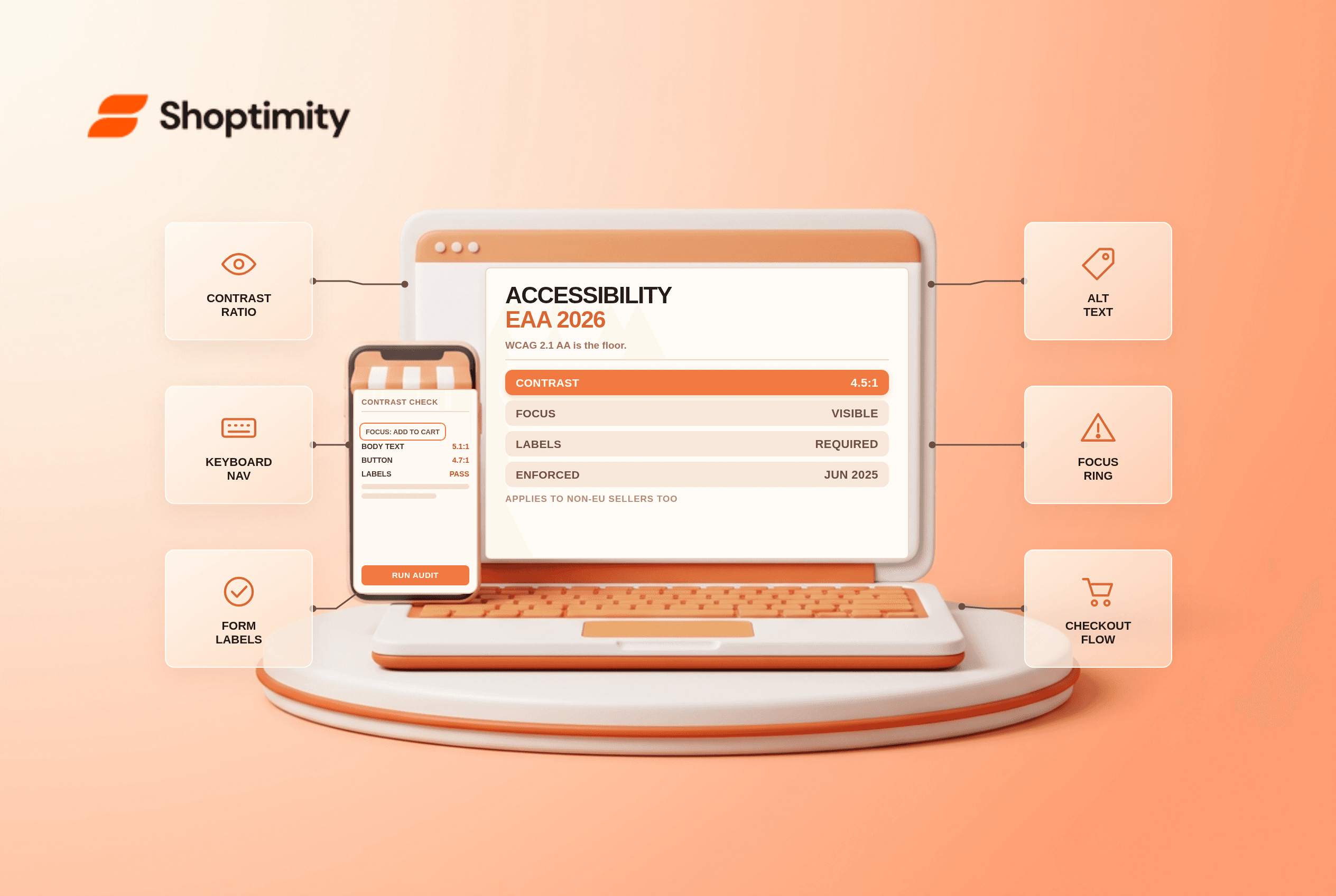
If you sell to EU customers, your storefront falls inside the European Accessibility Act, which has been enforceable since 28 June 2025 and references WCAG 2.1 Level AA through the EN 301 549 standard. The obligation applies to non-EU businesses too. On Shopify, most of the gap sits in theme markup, app widgets and checkout, not in the platform.
What the law actually requires
WCAG 2.1 AA is the technical benchmark, and all 50 success criteria apply rather than a convenient subset. In practice that means text contrast of at least 4.5 to 1, keyboard access to every interactive control, labels tied to their form fields, focus states you can see, and alt text on meaningful images.
Enforcement differs by country. Spain's penalties reach into seven figures, Ireland allows criminal liability in serious cases, and most member states start with a notice and a remediation window of 60 to 90 days.
According to the European Commission's accessibility pages, the directive covers ecommerce services sold to consumers in the EU regardless of where the seller is established.
The five failures that show up in almost every audit
Contrast on brand colours. A pale grey on white for body text, or orange text on a peach card, fails the 4.5 to 1 ratio. Brand palettes are the most common source of failures, and the fix is usually a darker shade of the same hue.
Focus outlines removed. Themes and CSS resets strip the focus ring, which makes keyboard navigation invisible. Restore a visible focus state on links, buttons, inputs and the cart drawer.
Unlabelled form fields. Newsletter popups, discount code inputs and account forms often use placeholders instead of labels. A placeholder disappears on typing and is not read as a label by screen readers.
Carousels and drawers without ARIA. A slider that auto-advances and cannot be paused fails the timing criteria. A cart drawer that traps focus fails keyboard access.
Product images with missing or duplicated alt text. Alt text should describe the product, not repeat the title. Decorative images need an empty alt rather than a keyword.
Where Shopify helps and where it does not
Shopify's own admin and checkout are built to accessibility standards, and the newer themes are noticeably better than the older ones. What you control is the theme layer, the content and every app you install.
Apps are the wild card. A popup, a review widget or a spin-to-win app injects markup you do not manage, and that markup is rarely audited. Every app is a small accessibility liability, which is one more argument for a lean app stack.
| Area | Who owns the fix | Typical effort |
|---|---|---|
| Colour and contrast | You, in theme settings | An afternoon |
| Focus states | Theme CSS | An hour |
| Form labels | Theme and app settings | Hours to weeks |
| Alt text | You, per product | Ongoing |
| Carousel and drawer behaviour | Theme or app vendor | Vendor ticket |
| Checkout | Shopify | None for you |
A practical audit order
Start with an automated scan to find the obvious failures: contrast, missing alt text, empty links, unlabelled fields. Automated tools catch perhaps a third of real issues, which is enough to clear the easy ground.
Then use the site with a keyboard only. Tab through the homepage, a collection, a product page and the cart. If you cannot reach the add-to-cart button or cannot see where focus is, you have found a real barrier.
Then test with a screen reader for ten minutes. VoiceOver on a Mac or TalkBack on Android is free. Product pages and checkout are where it gets uncomfortable, and where the fixes matter most.
In our experience, stores that run the keyboard pass first find two or three blocking issues, fix them in a week, and then sit comfortably for months. The work is smaller than the fear of it.
Building accessibility into the theme decision
A theme with sensible defaults saves most of this work. Newer free themes such as Horizon ship better focus handling, larger hit targets and cleaner form markup than older themes. Paid themes vary widely, and a current-looking design is no indicator of accessible markup.
Our theme buyer's guide explains what to check, and the core web vitals guide covers the performance layer that often moves in the same direction as accessibility work.
Our advice: treat compliance as a content and theme project, not a widget you install. Overlay apps that claim to make a store accessible do not fix the underlying markup, and they have featured in enforcement complaints rather than resolving them.
Ready to build a faster, higher-converting store?
Every Shoptimity theme ships with conversion widgets built in — so you get speed and features without stacking apps.
7-day free trial · all themes included · cancel anytime
Continue Reading

Shopify B2B Company Locations: Give Buyers the Right Access
Configure Shopify B2B company locations, verify buyer permissions and test pricing, addresses and pa...

Shopify Checkout Contact Settings: Separate Email From Shipping Phone
Configure Shopify checkout contact settings and test email, phone and shipping address requirements ...

Shopify POS Recent Carts: Share a Sale Without Reserving Stock
Learn how Shopify POS recent carts work across devices, what they do not reserve, and how to hand of...