
Shopify Theme Version Control and GitHub CI: A Working Setup
title: Shopify Theme Version Control and GitHub CI: A Working Setup slug: shopify-theme-version-control-github-ci meta_title: Shopify Theme CI: CLI, GitHub and Version Control meta_description: Shopify theme version control with the CLI, a theme access token and theme check in CI. The drift problem that breaks it and the pipeline that survives. primary_keyword: Shopify theme version control secondary_keywords:
- Shopify CLI
- theme check
- theme version control author: The Shoptimity Team date: 2026-11-03 category: Development schema: BlogPosting, FAQPage
Shopify Theme Version Control and GitHub CI: A Working Setup
Shopify theme development without version control means one bad edit in the code editor and no way back. With the Shopify CLI and a Git host, you get pull requests, a staging theme, automated linting and a one-command rollback. The setup takes a day and saves that day back the first time something breaks.
The hard part is not the tooling. It is that merchants edit the JSON templates in the admin, so your repository and your live store drift unless you pull before you deploy.
The toolchain
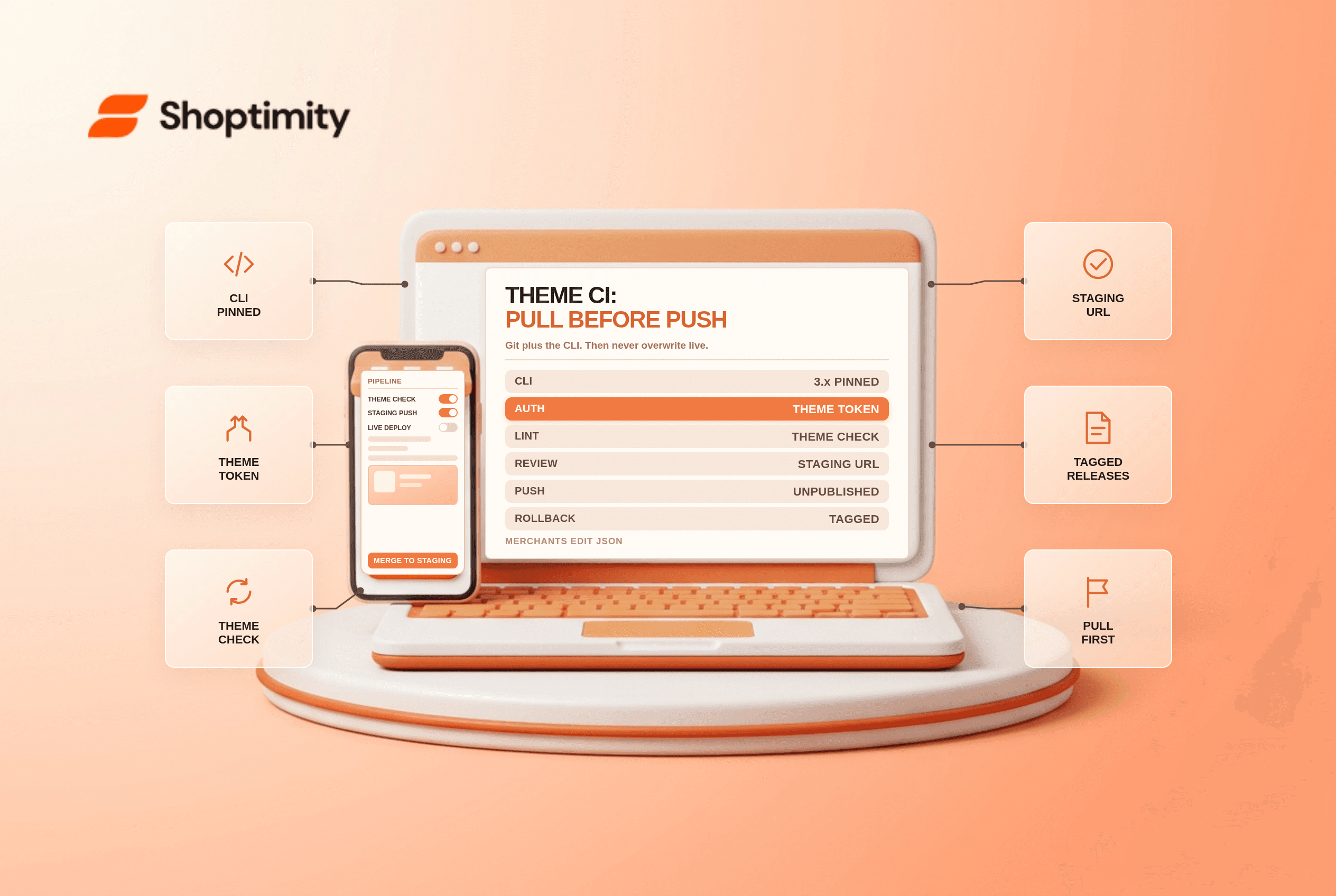
Shopify CLI 3.x is the entry point. It handles shopify theme dev for a live local preview, shopify theme push to upload, and shopify theme pull to bring admin edits back down. The --unpublished flag pushes to a new or development theme so you never overwrite live from a laptop.
According to Shopify's CLI documentation, the theme commands cover dev, push and pull. Authentication runs through a Theme Access token, exported as SHOPIFY_CLI_THEME_TOKEN, which keeps CI from needing an interactive login. That token is scoped to themes only, which is what you want in a build system.
A workable pipeline
- Repository per theme, with
mainmatching what is live and feature branches for changes. - Pin the CLI version in the repo, because CLI upgrades occasionally change push behaviour.
shopify theme checkin CI on every pull request. It catches deprecated Liquid, performance anti-patterns and unknown objects before review.- Staging theme per branch, pushed with
--unpublished, so designers review a real URL rather than a diff. - Pull from live before pushing. This is the step that matters most.
- Tag releases with a semantic version so a rollback is a checkout plus a push.
| Practice | What it prevents |
|---|---|
| Theme Access token in CI | Shared logins and expired sessions |
--unpublished push target | Accidental overwrite of the live theme |
theme check on pull requests | Deprecated or broken Liquid reaching production |
| Staging theme per branch | Client review on screenshots |
| Pull before deploy | Losing merchant-made template edits |
| Tagged releases | Long rollback archaeology in the admin |
| Pinned CLI version | Builds breaking after an upgrade |
--unpublished push targettheme check on pull requestsWe ran theme check against a 190-file theme in October 2026. The first run reported 47 warnings, 9 of them deprecated filters that would have broken on the next theme release, and the whole check took under 30 seconds in CI.
The drift problem
The admin code editor lets a merchant change JSON templates, section settings and occasionally Liquid. Those changes live on the store, not in your repository. A push from a stale branch silently reverts the merchant's last week of homepage work, and nobody notices until a campaign page looks wrong.
Two habits fix it. Pull before every deploy, and review the pulled diff as part of the release rather than committing it blind. If the merchant edits frequently, giving them a section-based setup with fewer direct template edits is worth more than any pipeline.
Continuous deployment, carefully
Most teams stop short of auto-deploying on merge, and they are right to. A theme is a shared, live artefact with no transactional rollback; a bad deploy affects every visitor immediately, which is a different risk profile from pushing an API.
The middle path: auto-deploy to an unpublished theme on merge to main, and make the live promotion a manual, tagged step. That keeps review fast and the live push deliberate.
If you do automate the live step, gate it on theme check passing, a build of the storefront with no Liquid errors, and a smoke test on the staging URL. And publish the previous theme's ID somewhere in the pipeline output, because under pressure nobody wants to find it in the admin.
Where this goes wrong in practice
Third-party app blocks. Apps inject script tags and app blocks that are not in your repository. Pushing a theme can orphan app blocks in templates, so re-enable them after every deploy and check the app's own configuration survives.
Large asset files. Themes have an asset size ceiling, and binary assets inflate the repository. Keep source design files out of Git and commit only the built assets.
The development theme is not the live theme. Section IDs differ between copies, and app blocks referenced by ID break when a theme is duplicated. Test the app-block-dependent pages on the staging theme, not on dev.
Our verdict: Git plus CLI plus theme check is worth doing on any store where more than one person touches the theme, and the limitation to respect is that the store, not the repository, is the source of truth for template settings.
If you are choosing the theme itself, the real cost of a custom Shopify theme puts numbers on the build, and Horizon theme review covers whether a modern block-based theme reduces the need for custom code at all.
shopify theme push. Keep a token in CI and never push to live from a laptop.shopify theme pull before every deploy and review the diff. Better still, give the merchant a section-based setup so they edit fewer JSON templates directly.Ready to build a faster, higher-converting store?
Every Shoptimity theme ships with conversion widgets built in — so you get speed and features without stacking apps.
7-day free trial · all themes included · cancel anytime
Continue Reading

Shopify B2B Company Locations: Give Buyers the Right Access
Configure Shopify B2B company locations, verify buyer permissions and test pricing, addresses and pa...

Shopify Checkout Contact Settings: Separate Email From Shipping Phone
Configure Shopify checkout contact settings and test email, phone and shipping address requirements ...

Shopify POS Recent Carts: Share a Sale Without Reserving Stock
Learn how Shopify POS recent carts work across devices, what they do not reserve, and how to hand of...