
Shopify Themes With Product Filtering
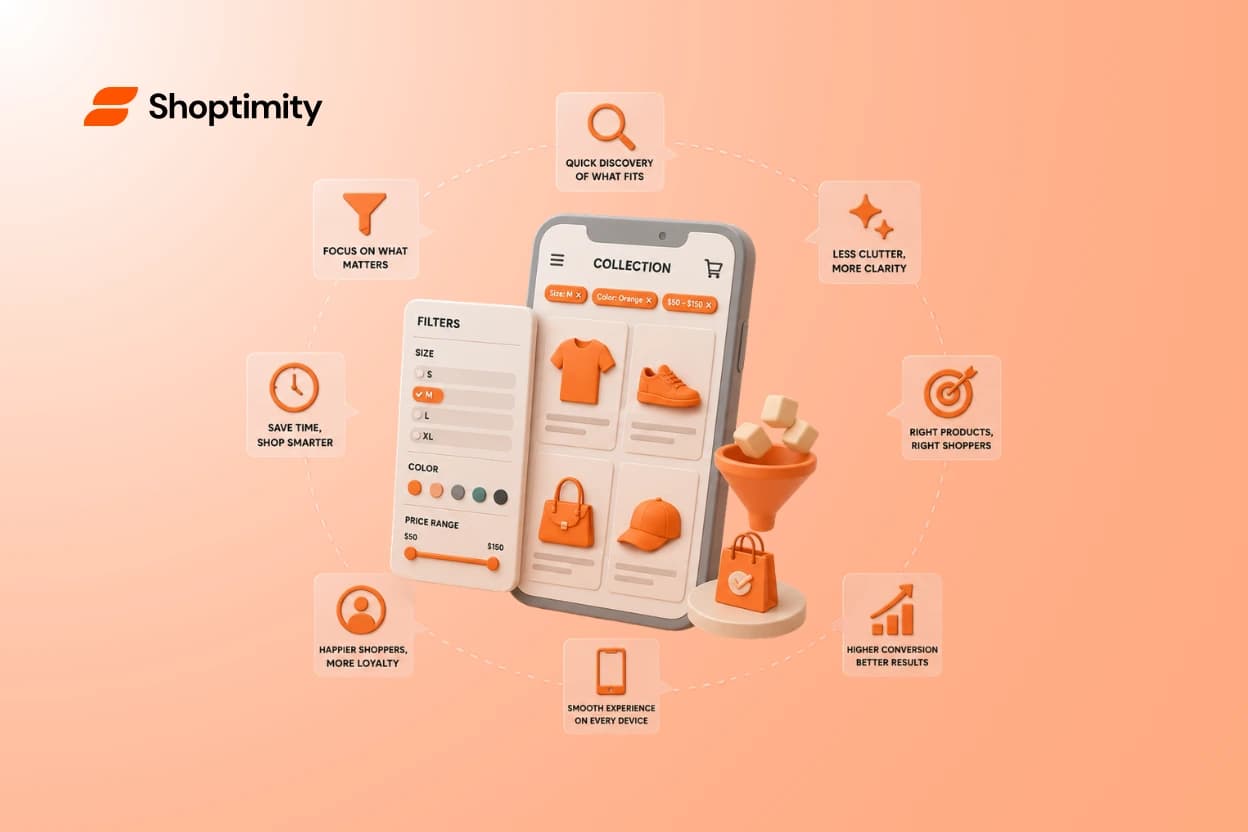
Give a shopper 200 products and no filters, and most will leave before finding what they want. Give them 30 filters and they'll leave too — just confused instead of overwhelmed. Good product filtering is a balance, and it's one of the most underrated things a theme controls. If you're comparing Shopify themes with product filtering, here's what actually helps customers narrow a catalog fast — and what quietly makes it worse.
Short answer: strong filtering lets shoppers narrow a collection by the attributes they actually care about — size, color, price, type — with clear controls, easy reset, and smooth mobile behavior. The best Shopify themes with product filtering keep it relevant and simple, not stuffed with every option your products have.
Filtering is discovery, not a settings panel
It's tempting to think of filters as a technical feature you switch on. But to a shopper, filtering is the moment they decide whether your store is easy or annoying to buy from.
The goal isn't "more ways to filter." It's helping someone go from a big collection to the few products that fit them — quickly and without second-guessing.
Every filter should answer a question a real shopper is asking. If it doesn't, it's just noise in the sidebar.
The filter types that actually earn their place
Different catalogs need different filters. Match them to how people compare your specific products, not to every field in your admin.
Common filters worth having:
- Price — a range slider or clear price bands.
- Size — clothing, footwear, anything with fit.
- Color — swatches beat a text list.
- Category / type — the product groups people shop by.
- Brand — if you're a multi-brand retailer.
- Attributes that matter to your niche — material, skin type, capacity, etc.
The test for each one: do customers actually use this to decide? If not, it doesn't belong on the collection page. Baymard's research on ecommerce filtering
The mistake: turning on every filter you can
Here's the pattern we see with growing catalogs. The theme supports filtering by any product attribute, so the owner enables them all — because it's possible.
Now the shopper faces dozens of options, half of them irrelevant to what they're browsing. Filtering that was meant to simplify the catalog ends up burying it.
The better approach: figure out the handful of attributes shoppers actually compare, and build filtering around those. Fewer, relevant filters beat a giant list every time.
What to check beyond the filter list
The filters themselves are only half the experience. How they're placed and behave matters just as much.
The filtering usability checklist
- Placement — filters are easy to find (sidebar on desktop, clear button on mobile).
- Sorting — shoppers can also sort by price, newest, or popularity.
- Clear controls — applied filters are visible and easy to remove one by one.
- Reset — a one-tap way to clear everything and start over.
- Result feedback — the product grid updates quickly and shows how many match.
Mobile filtering is a different challenge
On desktop a sidebar of filters is easy. On a phone, that same set has to fold into a panel that's still fast and tappable.
Since most shoppers browse on mobile, test filtering there first. Open a theme's demo collection on your phone and try narrowing it — if it's fiddly or slow, that's your answer. compare themes and their collection pages
Filtering only pays off if the whole collection page is fast. Shoptimity themes like Celeste come with smart filters built in and are mobile-first out of the box, so shoppers narrow a big catalog and land on product pages that are ready to sell — no extra filtering app required. see the themes
Match the filtering to your catalog
Small catalog
Light filtering or simple sorting is plenty — don't overbuild.
Medium catalog
A few well-chosen filters (price, type, color) make browsing effortless.
Large / multi-brand
You need structured, relevant filters that scale as products grow.
Choose a theme where filtering helps people buy
The best Shopify themes with product filtering treat it as discovery: relevant filters, clear controls, easy reset, and smooth mobile behavior. Build it around the attributes your shoppers actually compare — and test it on a phone before you commit.
Ready to build a faster, higher-converting store?
Every Shoptimity theme ships with conversion widgets built in — so you get speed and features without stacking apps.
7-day free trial · all themes included · cancel anytime
Continue Reading
Shopify Dawn vs Horizon: Which Free Theme to Start With in 2026
Both free, very different builds. Horizon gives 28 sections and deep nesting, Dawn gives stability. ...
Shopify Horizon Theme Review 2026: The Best Free Theme, With a Catch
Horizon is free, block-based and AI-assisted, with a 35% merchant rating. What it does better than D...
Shopify Theme Store vs ThemeForest: Where to Buy in 2026
Code review, support terms and update paths compared, plus the total cost of ownership that neither ...