
Booster Theme 2026: Features, Pricing & Whether It's Right for Your Store
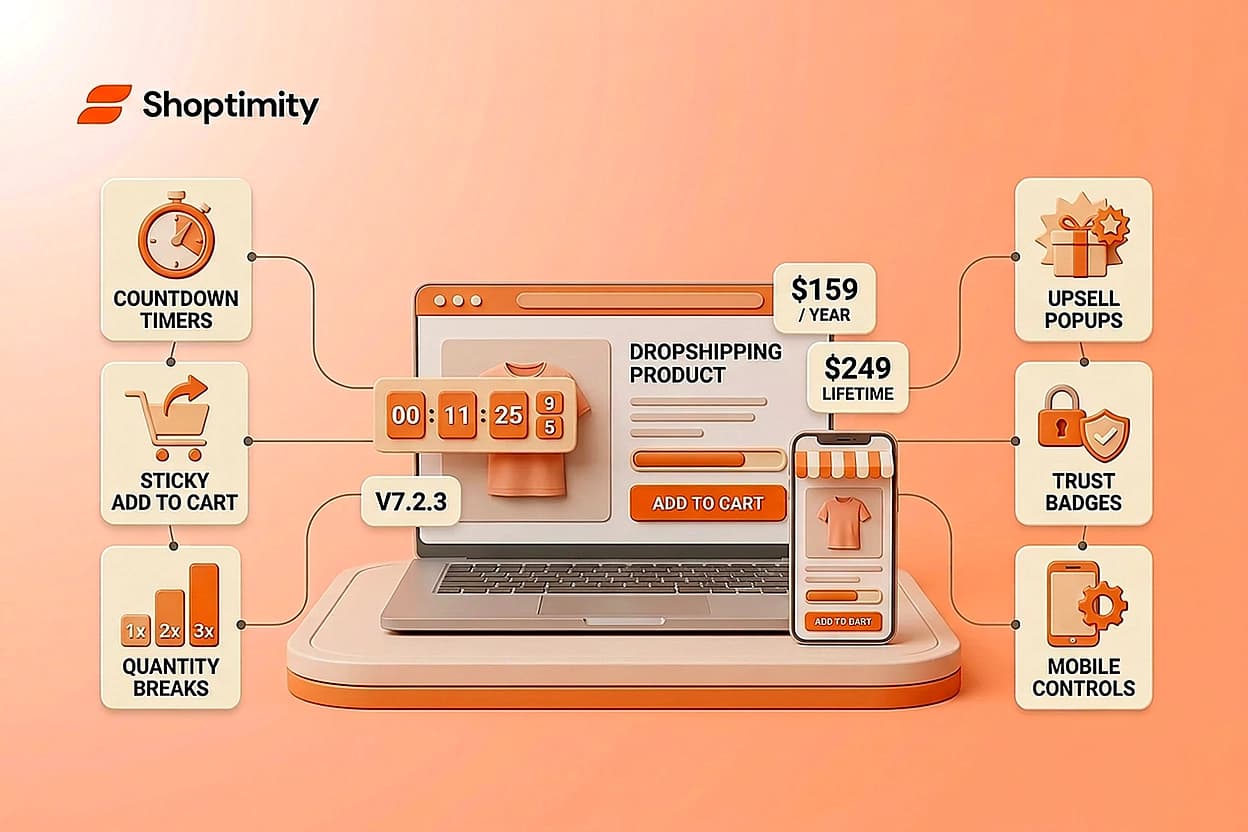
If you're running a Shopify dropshipping store or scaling fast, you've likely heard the booster theme pitched as a way to cut your app bill in half and add conversion widgets without writing code. At $159 to $249 depending on your plan, this booster theme promises 28+ built-in conversion tools and monthly updates. But does it actually deliver, and more importantly, is it the right fit for your brand and customer base?
TL;DR:
- This solution costs $159/year (August 2026 sale price) or $249 lifetime, with 28+ conversion widgets built in
- Latest version is 7.2.3, with mobile-specific controls and improved product page layouts
- May suit low-ticket dropshipping stores whose audience responds well to countdown-timer and scarcity-style urgency messaging
- Not ideal for premium or high-ticket brands where trust signals matter more than urgency pressure
- A faster, cleaner alternative exists if you want built-in conversion tools without the "spammy" widget aesthetic
What Is Booster Theme?
This Shopify theme is sold directly (not through the Shopify Theme Store) and positioned as a conversion-focused alternative to free themes and app-heavy setups. Instead of installing 8 to 10 separate apps for email capture, cart recovery, countdown timers, and upsells, it bundles these features into the theme itself.
The core promise: replace $100–$300 per month in app subscriptions with a one-time or annual theme purchase. This appeal is strongest for dropshippers managing tight margins, where app costs can eat directly into profit.
The theme is built on a Vintage framework with Shopify Online Store 2.0 retrofits. What sets it apart from standard themes is its conversion-widget density. You get urgency countdowns, sticky "Add to Cart" buttons, product quantity breaks, upsell popups, recently-bought notifications, and trust badges, all without code.
Pricing in 2026
This solution offers flexible pricing tiers to match different store sizes and budgets:
August 2026 Sale Price (Limited-Time):
- Yearly License: $159/year (regular price $248)
- Lifetime License: $249 (regular price $398)
What's Included:
- Access to all theme features and conversion widgets
- Unlimited store visitors
- Monthly updates forever
- Mobile-optimized design
- Speed optimization features
- Image auto-optimizer
At face value, a $159 annual or $249 lifetime plan beats Debutify (which starts at $23.40/month or ~$280/year for entry features) and eliminates the monthly SaaS creep of app stacks. However, this is a direct purchase, not through the Shopify Theme Store, so you buy from boostertheme.com/pricing and manage the license outside your Shopify dashboard.
A key caveat: if you run multiple Shopify stores, you need a separate license per store. This stacks costs for multi-brand operators.
Latest Version & Features
The current version is 7.2.3, released July 23, 2026, with incremental improvements to product pages and mobile experience.
Recent Enhancements (v7.2.2 & v7.2.3):
- Mobile-specific controls: CTA sections, slideshows, and image + text blocks now have dedicated mobile settings (image focal points, section heights, text alignment).
- Product page flexibility: Merchants can customize product content sections more granularly with cleaner layouts for image-heavy products or detailed SKU descriptions.
- Icon + Text sections: New block type to highlight store benefits (free shipping, secure checkout, easy returns) with better visual hierarchy.
- Improved default setup: The theme installer now provides a polished starting point, cutting setup time.
Earlier versions (7.1.4) introduced AI-generated theme blocks, letting you fill text and headlines with AI suggestions directly in the editor.
These updates are solid but incremental. If you're on an older version, the jump to 7.2.3 refines the experience rather than overhauling it.
Who Should Use It (And Who Shouldn't)
This theme is strongest for:
- Low-ticket dropshipping stores ($15–$50 average order value) where customer acquisition cost is high and urgency tactics drive impulse buys.
- Volume-focused sellers who prioritize conversion rate over brand perception.
- App-stack minimalists who want one integrated tool instead of juggling separate popup, countdown, and upsell apps.
- Fast-moving stores without heavy customization needs, install, pick a preset, and launch.
Where it falls short:
- Premium or high-ticket brands ($200+ AOV), where heavy countdown-timer and scarcity messaging can read as pushy and erode trust with that audience.
- Minimalist aesthetics: The booster theme design philosophy leans toward feature-heavy interfaces. If you want whitespace and simplicity, you'll fight the theme's defaults.
- Stores requiring deep customization: While this option is no-code-friendly, heavy modifications require developer work.
The critical decision point is brand positioning. If your audience responds to urgency ("Only 3 items left!"), its 28+ widgets work. If your customers need trust and clarity, aggressive tactics may backfire.
Research shows modern consumers are increasingly blind to fake urgency and low-quality trust badges hurt credibility. This is where Shopify themes built on trust-first conversion principles stand out, especially for premium sellers.
Theme vs. Alternative Conversion Approaches
The App Stack Trade-Off
Building a custom Shopify store with individual apps (Klaviyo for email, Gorgias for support, Justuno for popups) gives you surgical control and best-of-breed tools. But you'll pay $100–$300/month and risk code conflicts. Using a booster theme eliminates that, one payment, fewer dependencies.
However, you lose specialization. Its email capture widget isn't as powerful as Klaviyo. Its cart recovery isn't as intelligent as Rebuy. It's a jack-of-all-trades approach, best for merchants who don't need enterprise-grade features.
The Conversion-First Theme Choice
If you want built-in conversion tools and elegant design, compare this option with alternatives that offer similar all-in-one models. Some themes prioritize speed and trust signals over widget density, meaning fewer on-page distractions and mobile-first layouts. Others ship with 30+ built-in tools (quantity breaks, sticky carts, quick views) without the aggressive urgency aesthetic.
The choice depends on whether your customer base converts better from pressure or from confidence and clarity.
Speed Matters More Than Widgets
An often-overlooked fact: if your theme is slow, no number of urgency widgets will save you. Verify current performance benchmarks against competitors. Faster alternatives with fewer widgets often outconvert this option on sites where 80% of traffic is mobile.
You now understand this solution's features, costs, and aggressive conversion approach. Before committing, compare it with conversion-first alternatives that match your brand voice and customer expectations, especially if you're selling high-ticket or premium products. Explore how different Shopify themes approach conversion to find the one that fits your strategy.
Test Booster Against Your Brand's Conversion Style
You now understand Booster Theme's features, costs, and aggressive conversion approach. Before committing, compare it with conversion-first alternatives that match your brand voice and customer expectations—especially if you're selling high
7-day free trial · all themes included · cancel anytime
Continue Reading
Why 30+ Native Apps Beat Building a Shopify Store Without Them in 2026
Most Shopify store owners are hemorrhaging money on the wrong things. You're paying $10 to $49 per m...
98.9 Speed Score: Why High-Ticket Dropshippers Need Lightning-Fast Shopify Themes
Every second your store takes to load costs you money. For high-ticket dropshippers selling products...
Launch a Conversion-Optimized Shopify Theme Without Coding in 2026
Most dropshippers and brand builders waste thousands of dollars on developer fees and monthly app su...