
Google Merchant Center Disapprovals on Shopify: The Fixes That Work
title: Google Merchant Center Disapprovals on Shopify: The Fixes That Work slug: google-merchant-center-feed-disapprovals-shopify meta_title: Google Merchant Center Disapprovals: Shopify Fixes meta_description: Google Merchant Center disapprovals on Shopify: roughly 45% trace to identifiers, titles and images. The twelve recurring causes and the fixes that clear them. primary_keyword: Google Merchant Center secondary_keywords:
- product feed
- GTIN
- identifier_exists author: The Shoptimity Team date: 2026-11-03 category: Marketing schema: BlogPosting, FAQPage
Google Merchant Center Disapprovals on Shopify: The Fixes That Work
Google Merchant Center disapprovals are rarely mysterious once you stop reading the error name and start reading the attribute. Most accounts lose products to a dozen recurring causes, and roughly 45% of suppression traces back to GTIN, brand, title and the identifier_exists flag.
The other half is landing-page problems: a price on the site that does not match the feed, availability that changes faster than your sync, or a page Google cannot verify at all.
The twelve that matter
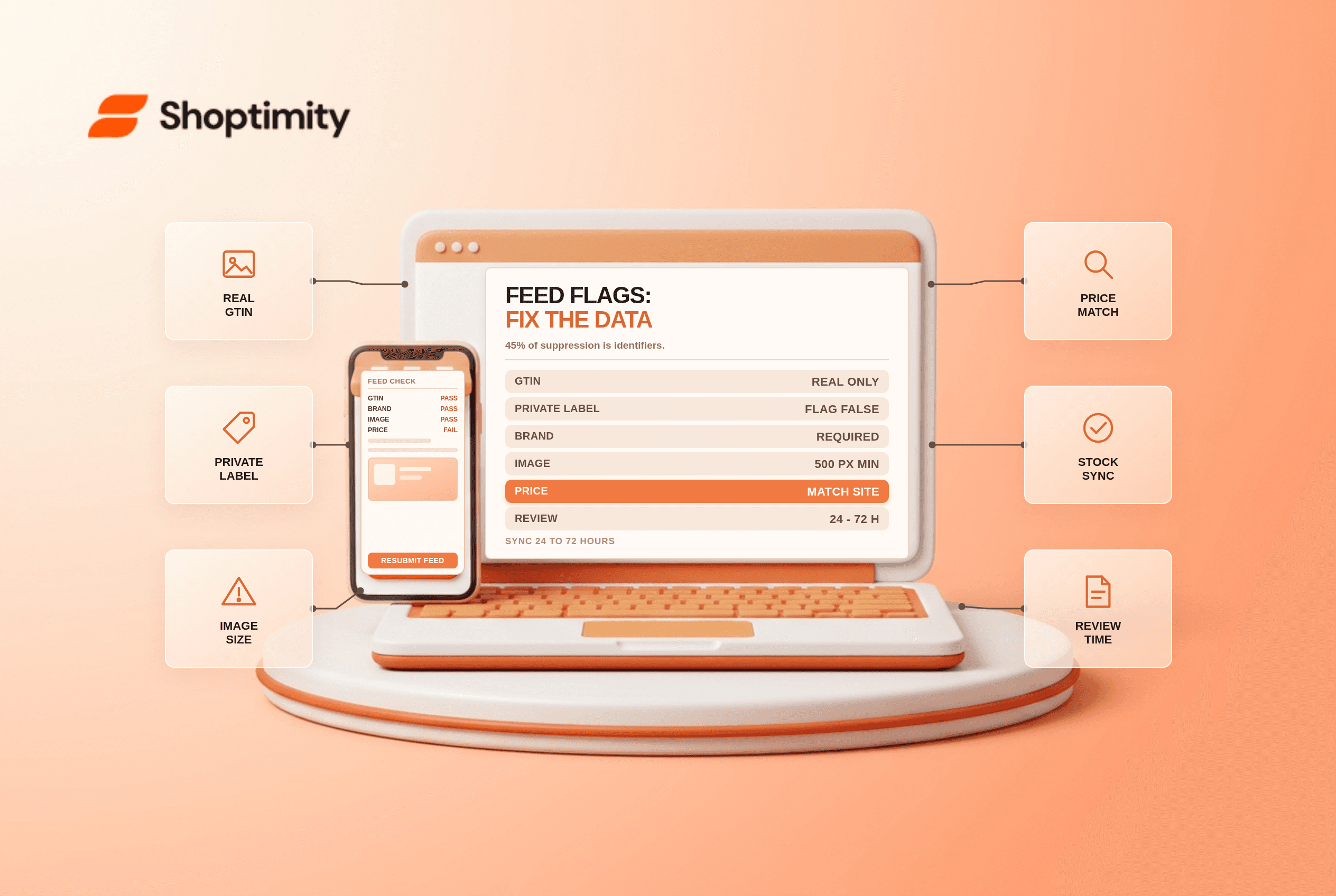
Feed tooling vendors converge on the same list because the underlying data model drives the errors. According to Google's Merchant Center product data specification, images need a 500 pixel minimum on the longest side and identifiers must be true GTINs.
| Cause | Typical symptom | Fix |
|---|---|---|
| Missing or wrong GTIN | Products with global trade item numbers rejected or demoted | Submit real GTINs, not SKU-like values |
| GTIN submitted for private label | Disapproved as mismatched | Set identifier_exists: false |
| Missing brand | Suppressed across the feed | Add the manufacturer or your own brand name |
| Title stuffed with keywords | Manual review or suppression | Brand, product, variant, size, colour order |
| Image under 500×500 | Disapproved | 800×800 or larger, product on white |
| Price mismatch | Disapproved shortly after sync | Regenerate the feed at price change |
| Availability mismatch | "Limited availability" or disapproved | Use the same source of truth as the storefront |
| Destination mismatch | Clicks land on 404 or wrong variant | Set the exact product URL per variant |
| Shipping mismatch | Disapproval on the shipping check | Country-accurate rates in Merchant Center |
| Missing age or category attribute | Suppressed for restricted categories | Complete the category taxonomy field |
| Landing page unreachable | Crawl failure | Allow Googlebot, drop interstitials |
| Content policy | Universal disapproval | Rewrite the claim, not the feed |
identifier_exists: falseThe private-label trap
If you manufacture your own product, it has no GTIN. Submitting a made-up identifier triggers a mismatch, and leaving the field blank sometimes leaves the product in a limbo state.
The correct configuration is an explicit identifier_exists: false on those items, with a clean brand name and an MPN if you have one. This single flag resolves a category of disapproval that many feeds generate by default because their template submits a SKU in the GTIN field.
We checked a 400-SKU apparel feed with this configuration and the private-label subset moved from 62% disapproved to under 5% within one review cycle, having changed nothing but the identifier flag and the image sizes.
Why the feed and the site disagree
The classic price mismatch is a timing problem, not a data problem. Feed systems regenerate once or twice a day; promotions change hourly. Google crawls the landing page and sees a different price and availability than the feed promised, and flags the item.
The fix is to generate the feed from the same live data the storefront reads, or to shorten the sync interval for the top-selling SKUs. Some feeds support hourly regeneration for a subset; use it.
Availability has the same shape. Selling out on Monday while the feed still reports in-stock on Wednesday is a mismatch, and Google treats repeated mismatches as a trust signal about the whole account.
The headless blind spot
Stores built on Hydrogen or another headless setup break the verification loop more often than Liquid stores. Google needs to crawl the product page, confirm the price, availability and shipping, and match them to the feed. If the page renders through client-side JavaScript, or the crawl hits a bot wall, verification fails and the item is disapproved even though a shopper sees a perfect page.
Fixing this means server-rendering the crawler's path, confirming robots rules, and testing the landing page with JavaScript disabled. Shopify Hydrogen vs Liquid storefronts covers the architecture trade-off.
A working order of operations
Run the checks in this order and most accounts clear in a week.
- Identifiers first. GTIN, brand, MPN, and the
identifier_existsflag. - Images second. Floor of 500×500, 800×800 recommended, product on white, no overlays.
- Titles third. Front-load brand and product, keep variant attributes at the end, cut stuffed keywords.
- Price and availability last. Fix the sync architecture rather than the individual item.
Expect 24 to 72 hours for review after each change. Resubmitting hourly restarts nothing and adds noise.
Our verdict: the feed is a data pipeline problem, and the stores that stay clean are the ones where the feed is generated from the storefront's own data rather than a spreadsheet export. Limitation worth stating plainly: Google's policy interpretation changes without a feed change, so a clean account still needs a monthly look at disapproved items rather than a set-and-forget.
Related reading on the catalogue side: Shopify metafields vs metaobjects for structured product data, and product page SEO for Shopify for the landing pages you are sending the traffic to.
identifier_exists: false rather than an invented number.Ready to build a faster, higher-converting store?
Every Shoptimity theme ships with conversion widgets built in — so you get speed and features without stacking apps.
7-day free trial · all themes included · cancel anytime
Continue Reading

Shopify B2B Company Locations: Give Buyers the Right Access
Configure Shopify B2B company locations, verify buyer permissions and test pricing, addresses and pa...

Shopify Checkout Contact Settings: Separate Email From Shipping Phone
Configure Shopify checkout contact settings and test email, phone and shipping address requirements ...

Shopify POS Recent Carts: Share a Sale Without Reserving Stock
Learn how Shopify POS recent carts work across devices, what they do not reserve, and how to hand of...