
Shopify App Blocks vs App Embeds: Where Each One Belongs
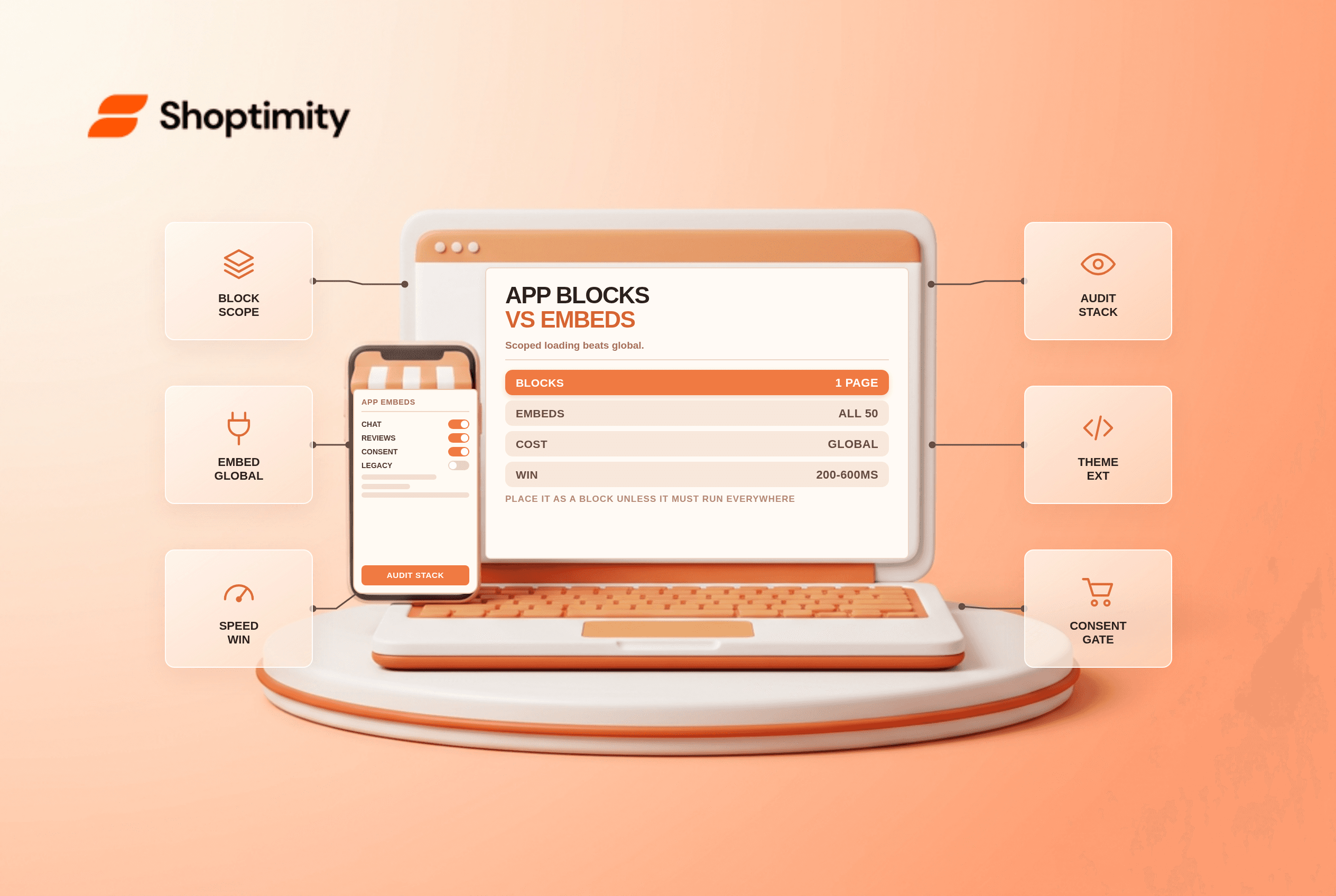
Shopify app blocks are components you add and position inside a section in the theme editor. An app embed is a global switch that loads an app's script across the storefront. Blocks are placed, embeds are everywhere. Most theme performance complaints trace back to embeds that were switched on and never turned off.
The difference in one sentence each
App blocks come from theme app extensions and behave like native blocks. You drag them into a section, reorder them, and they appear only where you put them.
App embeds load from the theme settings panel, usually as a script tag in the head or footer. Once enabled, they affect every page, whether or not the widget is visible.
Why the distinction matters for speed
An embed costs you on pages where it does nothing. On a 50-page storefront, a widget used on 2% of pageviews still loads on 100% of them. A chat widget embedded globally loads on the collection page, the cart, the policy pages and the 404. Its script still parses, its CSS still applies, and its third-party connection still opens.
Blocks cost you where they sit. A review widget added as a block under the product description loads on product pages and nowhere else, which is exactly the intent.
| App block | App embed | |
|---|---|---|
| Where it appears | Chosen section, chosen template | Whole storefront |
| Can be reordered with content | Yes | No |
| Requires OS 2.0 theme | Yes | Yes |
| Typical use | Product widgets, banners | Analytics, chat, consent |
| Performance cost | Scoped | Global |
When an embed is the right answer
Some things genuinely belong everywhere. Consent management platforms have to load before other scripts, so they belong in an embed. Analytics and session recording tools need site-wide coverage. A cart drawer enhancement touches every page by definition.
Chat is the debatable one. If your chat widget is a real support channel on every page, embed it. If it fires on product pages only, move it to a block and stop paying for it elsewhere.
The audit that finds the waste
Open your theme settings and list every app embed that is switched on. Then open each app and ask what it does. Most stores find two or three embeds from apps they uninstalled from the storefront but never disabled, and those are pure cost.
Then check which embeds load third-party scripts before consent. In a consent-managed market that is a compliance question as much as a speed one, and it is the sort of thing an accessibility and compliance pass tends to surface.
In our experience, a typical store with 10 installed apps carries 3 embeds that earn their place and 4 that do not. Disabling the four is an afternoon of work and usually the largest single speed win available without touching images.
Where blocks fail
Theme support is not guaranteed. An older theme, or a heavily customised one, may not render app blocks in the sections you need. The block is available in the editor and does nothing on the storefront, which confuses merchants who assume it is working.
Placement inside the buy box is limited. A block can sit in a section, but not inside another app's block, so a review widget cannot be nested inside a bundle widget.
And blocks cannot be styled by the app beyond what the extension allows. If your brand needs the widget to match a design system, you may be editing CSS anyway.
According to Shopify's theme app extension documentation, apps declare blocks and embeds in the extension, and merchants control placement through the editor.
A rule of thumb worth keeping
Place it as a block unless it must run everywhere. That single rule keeps storefronts fast, keeps consent behaviour predictable, and makes it obvious what each app contributes when you audit the stack next year.
Then review the stack quarterly. Apps accumulate, the hidden cost of an app stack compounds quietly, and the fastest way to find it is to read your own embed list rather than your invoices.
Our advice: audit embeds first, blocks second, and question any app that insists on an embed when a block would do.
Ready to build a faster, higher-converting store?
Every Shoptimity theme ships with conversion widgets built in — so you get speed and features without stacking apps.
7-day free trial · all themes included · cancel anytime
Continue Reading
Built for Shopify: What the Badge Guarantees, and What It Does Not
The badge caps how far an app can drag your storefront speed and bans theme-file edits. What it cert...
Shopify Returns Apps: What Each Costs and When the Fee Pays
Native returns are free, apps run $19 to $340 a month. The exchange-conversion maths that decides wh...
Shopify Subscriptions vs Recharge: The Cost Math for 2026
Native is free with no revenue share. Recharge costs $99 a month plus a percentage. The break-even, ...