
Shopify Bundles vs Paid Bundle Apps: The Real Cost in 2026
title: Shopify Bundles vs Paid Bundle Apps: The Real Cost in 2026 slug: shopify-bundles-app-vs-paid-bundle-apps meta_title: Shopify Bundles vs Paid Bundle Apps: Cost Comparison meta_description: The native Shopify Bundles app is free but stops at fixed bundles. What the paid alternatives charge, the revenue crossover, and where the cost hides. primary_keyword: Shopify Bundles secondary_keywords:
- bundle apps
- Shopify bundle pricing
- mix and match bundles author: The Shoptimity Team date: 2026-11-03 category: Cost & Pricing schema: BlogPosting, FAQPage
Shopify Bundles vs Paid Bundle Apps: The Real Cost in 2026
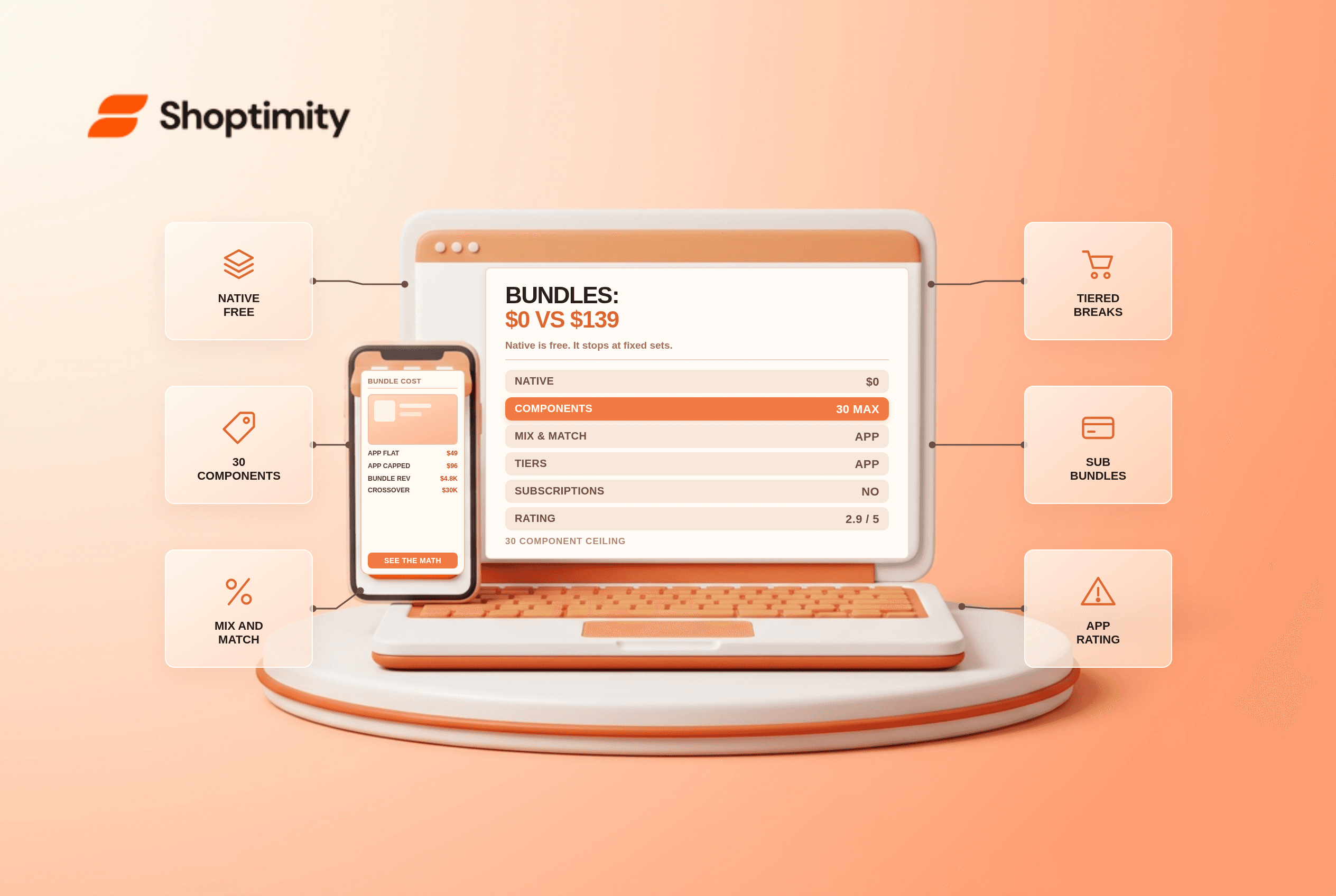
Shopify's own Bundles app is free on every plan and covers fixed bundles and multipacks. It cannot do mix-and-match builder flows, tiered quantity breaks, bundle-level subscriptions or A/B testing, which is where third-party apps charge from $14.99 to $139 a month.
The free app also carries a 2.9 star rating across 568 reviews, which tells you something about how it meets expectations rather than whether it works.
What native bundles do well
You create a fixed bundle in the admin: a set of products sold as one unit, with inventory drawn from the components. Up to 30 components per bundle natively, and up to 150 if a developer wires a Cart Transform Function. Variants per bundle top out at three options and 100 variants.
That covers a gift set, a starter kit, a three-pack, and a case of the same item. For a catalogue where bundles are a merchandising convenience rather than a growth mechanic, it is genuinely enough and it costs nothing.
The five things it does not do
- Build-a-box and mix-and-match. Letting a shopper pick four of twelve flavours needs a cart transform or an app.
- Quantity breaks and tiers. "Buy 3 save 10%, buy 6 save 20%" is a discount mechanic, not a bundle, and native bundles do not include it.
- Bundles inside subscriptions. Native bundles cannot be sold on a selling plan.
- Nesting and bulk editing. You cannot put a bundle inside a bundle, and bulk edits are limited.
- Per-location inventory. The bundle draws from a combined pool rather than per-location stock.
What the apps charge
Pricing models differ enough to be the main decision. Some charge flat, some charge on the revenue the app generates, which means the bill grows exactly when bundles start working.
| App | Entry price | Model | Notable limit |
|---|---|---|---|
| Shopify Bundles | $0 | Free | Fixed bundles only, 2.9 stars |
| Bundler | $0 | Free tier, $9.99 for mix and match | Premium features gated |
| Fast Bundle | $19 | Revenue capped tiers to $139 | Cap resets monthly |
| Kaching | $14.99 | Flat tiers to $59.99 | Dev stores only free |
| Pumper | $9.99 | Flat tiers to $49.99 | Quantity breaks focus |
| Easy Bundles | $29 | Revenue capped, $99 typical | Not for Plus stores |
| Flex Bundles | $99 | Flat to $999 | Built for 3PL workflows |
| Simple Bundles | $14 | Flat to $149 | 3PL kitting, component SKUs |
Figures come from App Store listings checked in October 2026, and according to Shopify's bundle documentation, the native component ceiling is 30. Read the metering before you compare prices: a $19 revenue-capped plan and a $19 flat plan behave completely differently in December.
The arithmetic that decides it
Take a store doing $60,000 a month with bundles at 8% of revenue, or $4,800. A revenue-capped app charging on bundle sales at roughly 1% to 2% costs $48 to $96 a month. A flat $49 app costs $49. Neither is expensive against $4,800, which is why the decision should be about capability rather than price at this scale.
The cost case changes for a store where bundles are marginal. At $5,000 a month with 3% in bundles, a revenue-capped plan costs a few dollars and a $99 flat plan costs more than the bundles earn.
We ran the numbers on a mixed catalogue and the crossover sat near $30,000 a month in bundle revenue, where a flat mid-tier app becomes cheaper than a percentage one.
Where the real cost hides
Third-party bundle apps inject storefront JavaScript. Widget weight ranges from a few KB to over 100KB per page, and it loads on product and collection pages whether or not the shopper engages. That is a speed cost every visitor pays so a minority can use the builder.
Two more limitations worth naming. Inventory for custom bundles is the hardest part to get right: a mix-and-match order has to decrement each component, and some apps sync per location while others do not. And native bundles cannot be combined with subscriptions, so a coffee subscription in a gift box is an app problem even though neither piece looks complicated.
Our verdict: start with the free app, move to an app only when you need mix-and-match, tiers or subscriptions, and prefer flat pricing unless your bundle revenue is small. Before installing anything, check whether the bundle logic belongs in a discount instead; Shopify bundles inventory checklist covers the stock side, and the hidden cost of Shopify apps is the right frame for the subscription maths.
Ready to build a faster, higher-converting store?
Every Shoptimity theme ships with conversion widgets built in — so you get speed and features without stacking apps.
7-day free trial · all themes included · cancel anytime
Continue Reading
Shopify Apple Pay: Check Wallets, Subscriptions and B2B
Activate Shopify Apple Pay with network tokenization, verify Visa or Mastercard subscription rules, ...
Shopify Order Notes: Capture Cart Instructions Cleanly
Enable Shopify order notes on Online Store 2.0 carts, separate notes from cart attributes and checko...
Shopify Planet: Add Carbon-Neutral Shipping Badges
Set up Shopify Planet carbon-neutral shipping, match Marketing vs $0.50 Engagement badge modes to yo...